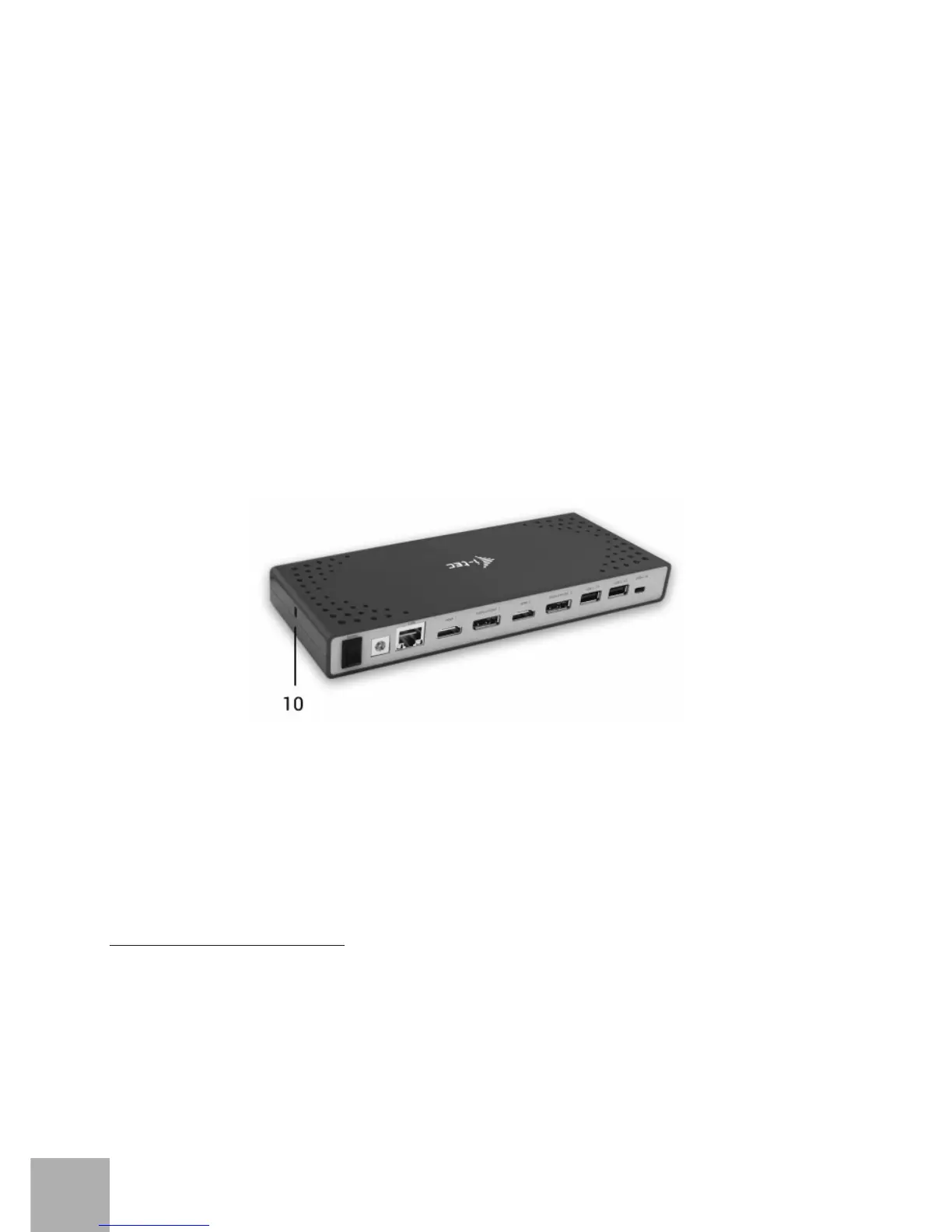
6. 1x Ethernet GLAN RJ-45 port for fast network and Internet access with Gigabit
Ethernet connection, it supports speeds of 10 / 100 / 1000 Mbps
7. Graphic interface: 2x HDMI and 2x Display Port. Docking station supports up
to two monitors. Resolution:
- 1 monitor connected via 2 DP cables: 1x DP + 1x DP supports up to 5K
5120x2880@60Hz, a graphics card on your computer must support 5K
resolution
- 2 monitors connected at the same time: 1x DP + 1x DP supports up to 4K
4096x2160@60Hz; 1x DP + 1x HDMI supports up to 4K 4096x2160@60Hz; 1x
HDMI + 1x HDMI supports up to 4K 4096x2160@60Hz
8. 2x USB-A 3.0 port for connecting USB 3.1/3.0/2.0 devices and high-speed
data transmission up to 5 Gbps; supports USB Hot Swapping function
9. USB-C port for connecting to a laptop with the USB-C or USB-A interface, both
connecting cables are included
Side panel:
10. Kensington lock
ź Chipset: DisplayLink DL6950, VIA Vl813
ź Product dimensions: 223 x 88 x 27 mm
ź Product weight: 338 g
SYSTEM REQUIREMENTS
Hardware requirements: Laptop / tablet with a free USB-A or USB-C port
Operating system: Windows 7 / 8 / 8.1 / 10 32/64 bit, Mac OS X, Linux Ubuntu
14.04 / 16.04, Android 6 or later. Windows 10 – automatic installation of OS
drivers. Other operating systems – manual installation of drivers. Firmware
updates automatically.
i-tec USB-A 3.0 / USB-C Dual Display Docking Station
ENGLISH
EN
05


 To Next Page