IACER Srl 27 MNPG117-02
There is no particular precaution to be taken during transportation of the
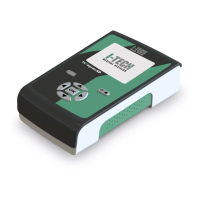
device, since I-TECH UT2 is a portable device. In any case it is recommended to
store I-TECH UT2 and its accessories in the supplied carrying bag after each
treatment. Protect the device from high temperature, direct daylight and
liquids. Keep the device in a fresh and well-ventilated environment. Place the
device together with all its accessories in a dry place away from dust, direct
sunlight and protected from the weather, chemical products and vibrations. Do
not place other objects on top of the device.
Precaution for the storage
The appliance is protected up to the following environmental conditions:
In operation
temperature 10÷40°C
relative humidity 30÷85%
pressure 800÷1060hPa
Inside the supplied carrying bag
temperature –10 ÷ +55°C
relative humidity 10÷90%
pressure 700÷1060hPa
Troubleshooting
I-TECH UT2 was designed and manufactured using advanced technological
solutions and high-quality components for an efficient and reliable use.
Any type of work on I-TECH UT2 must be carried out exclusively by the
manufacturer or by an authorized dealer. In any event, any presumed
malfunction of I-TECH UT2 must be verified before sending the device to the
manufacturer.
Check the following:
Display does
not switch on
Wrong/failed
connection with
power supply.
adapter is connected to
the device and to power
Check the integrity of all
plugs/sockets and
connection cables.


 To Next Page