Eg:#804#0000#58.64.205.22#8000##
Reply: SET SERVER IP AND PORT OK
17. Set Data upload interval time
Command:#805#user password# X #1## (ACC ON)
eg:#805#0000#12#1##
Reply: SET GPS SAMPLING TIME AND QUANTITY OK
Command:#809#user password# X #1## (ACC OFF)
eg:#809#0000#480#1##
Reply: GPRS REPORT SAMPLING 2 OK
Note : X is mean interval time, the unit is seconds,the wide is【10,59999】,1 is mean the interval
quantity, when X=0,
Close the upload function
Specail Command :
1、Reset Command : *RESET#0000##
2、Restart Command *RESTART#0000##
3、Read the current setup information Command: *RCONF# and *RCONF1#
Track by 900D web based tracking software Setup.
Please follow above commands to set ip,port(IP is 58.64.205.22, port 8000), and APN, data
Then please go to http://www1.igpstracking.net/
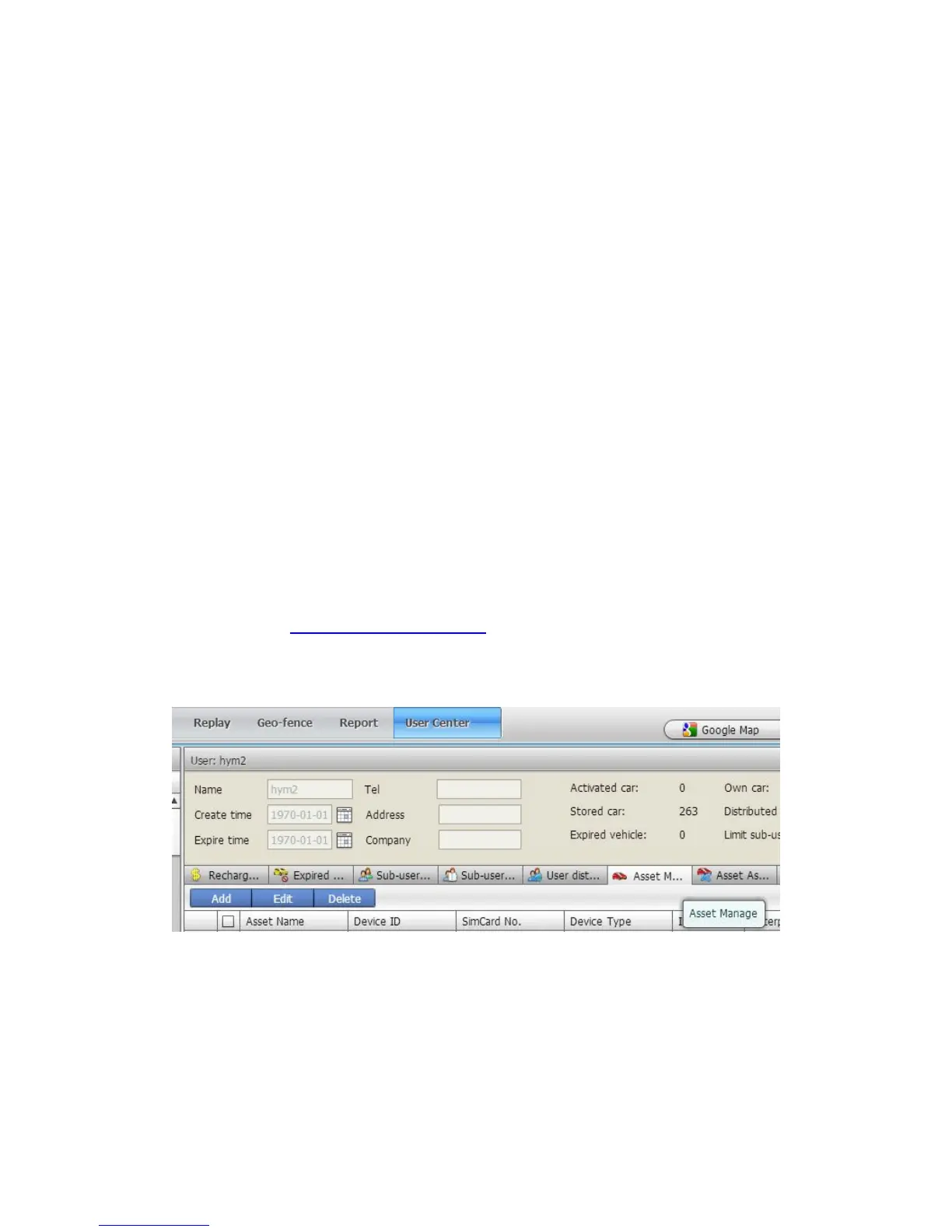
Enter the user name and password we provided. After log in, please go to “User Center-Asset
Manage”, click “Add”
Asset Name: Define by yourself; you can enter A-Z number or Numeric
Very Important Note: Terminal ID and Plate number are unique on the software, you can add
once only, you need to delete it from database before adding it again. Only admin account can
delete id from database, general user cannot. You do not need to delete and re-add if the device
cannot work on software, because it's caused by your wrong sms setting, not the software.


 To Next Page