Need help?
Do you have a question about the I2M Chrome and is the answer not in the manual?
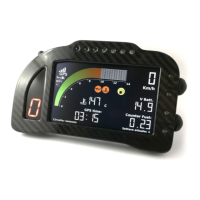
Details the extensive capabilities, including display, processor, GPS, and input options.
Instructions for optimal GPS signal reception and mounting location.
Information on specific kits for different motorcycle models and board configurations.
Guide to importing configuration files via USB for specific motorcycle models.
Details the 20-pin and 16-pin connectors and their respective pin assignments.
Fine-tuning specific input parameters and performing sensor auto-calibration.
Customizing LED indicators for alarms, RPMs, and other alert conditions.
Enabling data recording, setting sampling frequency, and autostart parameters.
Instructions for upgrading the device's internal software and firmware via USB.
 General
| Brand | I2M |
|---|---|
| Model | Chrome |
| Category | Motorcycle Accessories |
| Language | English |

 To Next Page