!
!
Chrome inputs
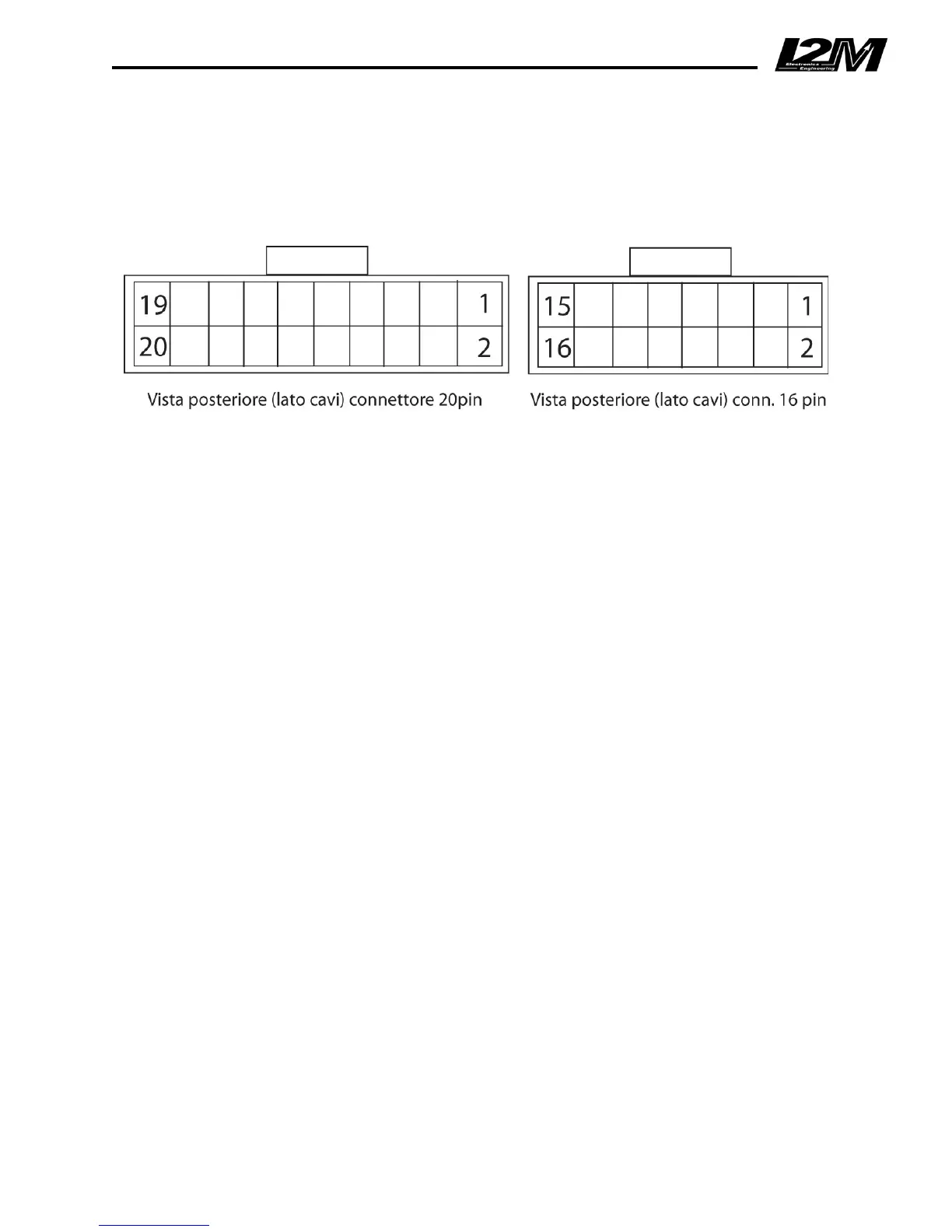
Two Multilock connectors, having 16 pins and 20 pins respectively, are placed on the backside of
Chrome. For each connector, the pinout scheme and the pin description are shown in the pictures
below.!
!
Rear%view%(cables%side)%of%the%20%pin%connector%%%%%%%%%%%%Rear%view%(cables%side)%of%the%16%pin%connector%
20-pin connector 16-pin connector
1. Speed 2 (green cable) 1. 12V power supply directly from battery
3. 12V out (orange cable) 2. Fuel (yellow cable)
4. Analog1 3. 12V key-on voltage (orange cable)
6. Analog2 4. Oil (black/white cable)
8. Analog3 5. Battery ground
9. CAN low 6. Water temperature (blue cable)
10. Analog4 7. Battery ground
11. CAN high 8. Neutral (grey cable)
12. Analog5 9. Button1
14. Analog6 11. Button2
16. Analog7 13. RPM (green cable)
18. Analog8 15. Speed1 (white cable)
20. 5V out (red cable)
The 16-pin connector is also connected to the PS2 input that is dedicated to the GPS receiver and
to the USB connector.
Chrome works with a dual power supply: one is directly connected to the battery, while the other is
connected to the key-on voltage. Once the system is turned off, none of the two power
supplies adsorbs any current. The power supply directly connected to the battery allows Chrome
to properly save the files during shutdown and also to keep the correct date and time.
DO NOT change the Chrome power supply scheme.
Chrome is designed with versatility in mind, so it can work even with no sensors connected and
with the GPS receiver kept inactive.


 To Next Page