DX50 User GuideUser Guide
9
User Interface:
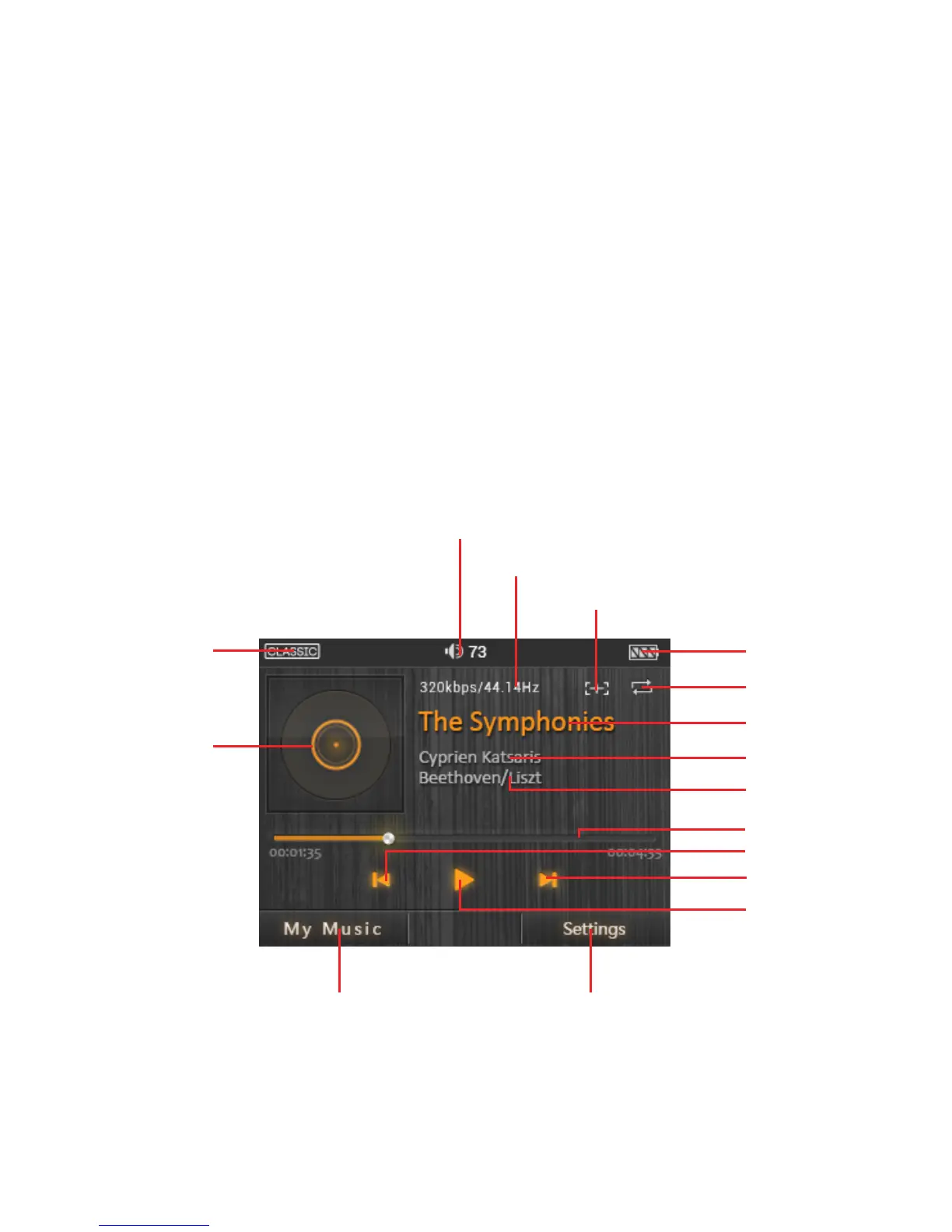
The DX50 User interface is composed of three parts:
Music playback screen (homepage), my music, and settings.
Music Playback Screen:
Disconnecting from a computer:
When transfer is completed, make sure to safely remove the drive(s) from the
computer before disconnecting the USB connection to the DX50. Click the icon
displayed in the task bar or desktop of the computer to safely disconnect the DX50.
Play/Pause
Next/Fast forward
Previous/Rewind
Progress bar
Track name
Battery indicator
Bit rate & Sample rate
Add to playlist
Settings
Artist name
Album name
My music
Album artwork
Play mode
EQ indicator
Volume indicator


 To Next Page