Need help?
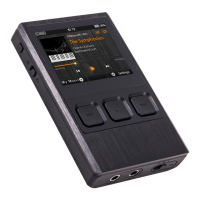
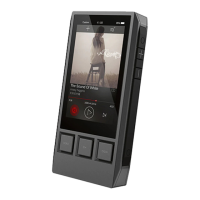
Do you have a question about the iBasso DX200 and is the answer not in the manual?
Features dual SABRE ES9028PRO DACs for superior audio fidelity and clarity.
Supports 5G WiFi and Bluetooth 4.0 for versatile wireless networking and audio.
Allows users to customize the audio amplification module for personalized sound.
Capable of playing a wide range of audio file types, including lossless and DSD formats.
Functions for charging, data transfer, and operating as a USB DAC.
Instructions for turning the device on/off and controlling the LCD screen.
Procedures for performing a system reset and charging the device's battery.
Guide on connecting the DX200 to a computer to use it as a USB Digital-to-Analog Converter.
 General
| Dimensions | 128.5mm x 69mm x 19.5mm |
|---|---|
| Weight | 240g |
| RAM | 2GB |
| Internal Storage | 64GB |
| Frequency Response | 20Hz - 40kHz |
| Battery Life | Up to 9 hours |
| DAC | Dual ESS ES9028PRO |
| Battery Capacity | 4400mAh |
| Storage | 64GB internal, expandable via microSD |
| External Storage | microSD up to 512GB |
| WiFi | 802.11 b/g/n |
| Bluetooth | 4.0 |
| Outputs | 3.5mm, 2.5mm balanced |
| Supported Formats | APE, FLAC, WAV, MP3, DSD |
| Connectivity | USB Type-C |
| Display | 4.2-inch IPS LCD, 768 x 1280 pixels |

 To Next Page