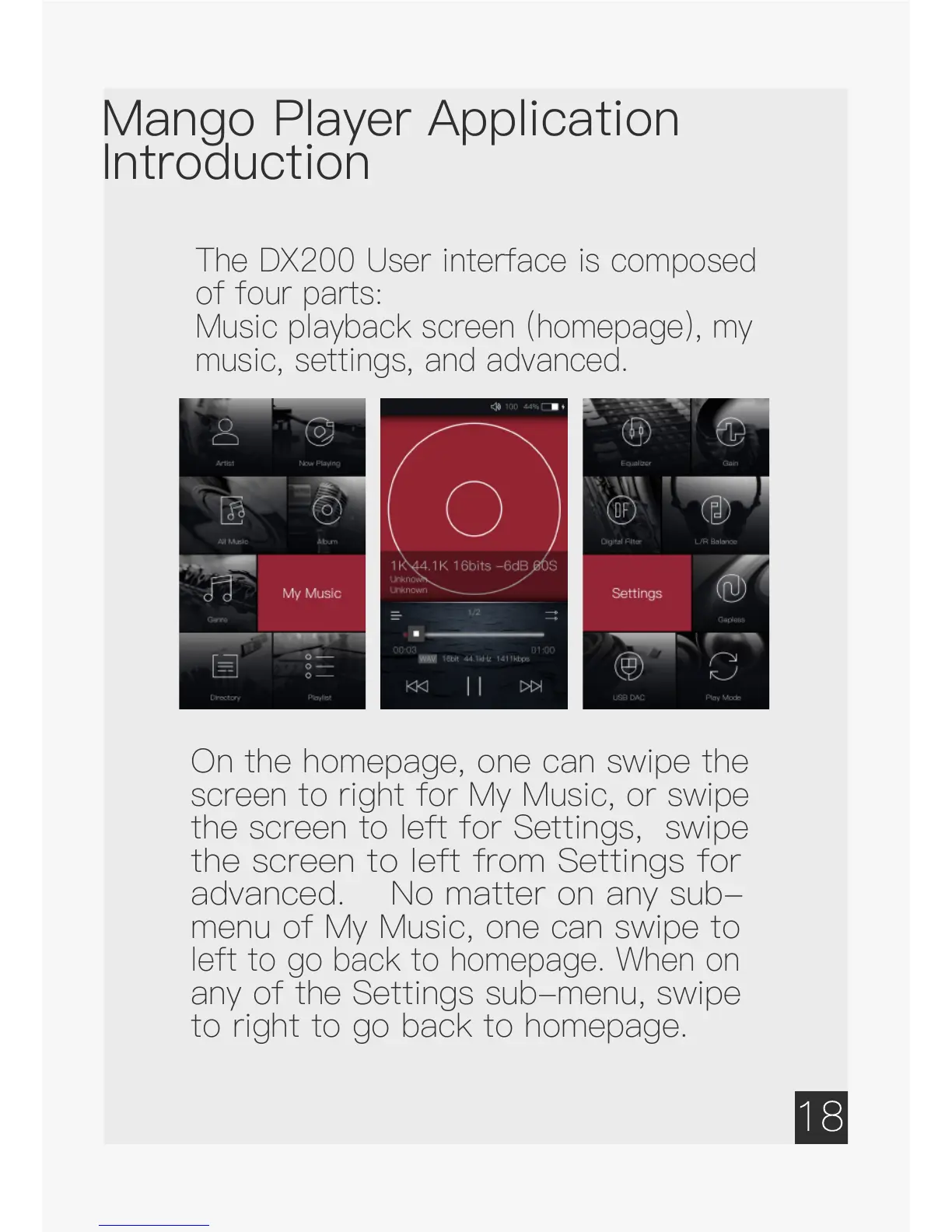
The DX200 User interface is composed
of four parts:
Music playback screen (homepage), my
music, settings, and advanced.
On the homepage, one can swipe the
screen to right for My Music, or swipe
the screen to left for Settings, swipe
the screen to left from Settings for
advanced. No matter on any sub-
menu of My Music, one can swipe to
left to go back to homepage. When on
any of the Settings sub-menu, swipe
to right to go back to homepage.


 To Next Page