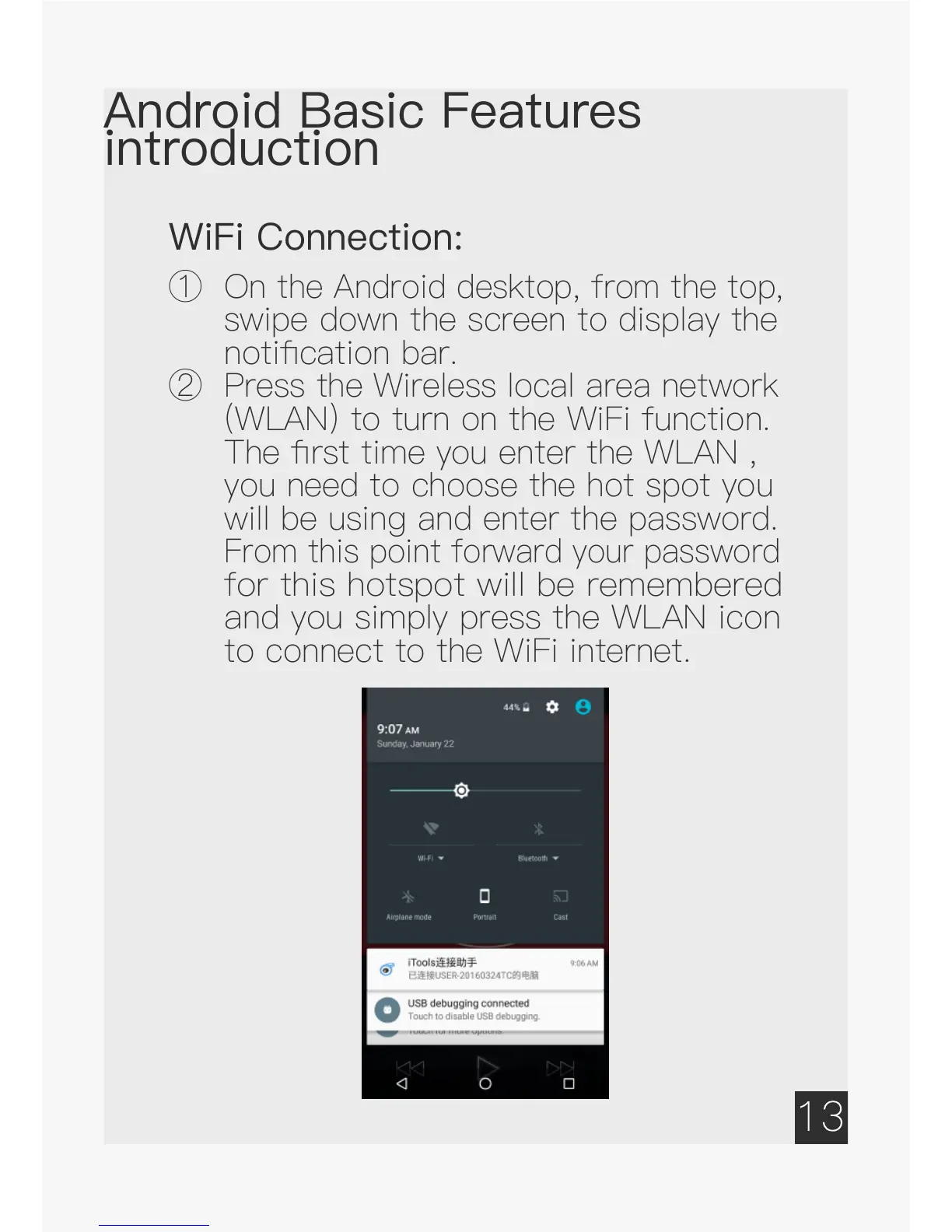
① O
n the Android desktop, from the top,
swipe down the screen to display the
notification bar.
②
Press the Wireless local area network
(WLAN) to turn on the WiFi function.
The first time you enter the WLAN ,
you need to choose the hot spot you
will be using and enter the password.
From this point forward your password
f
or this hotspot will be remembered
and you simply press the WLAN icon
to connect to the WiFi internet.


 To Next Page