DX50 User Guide
6
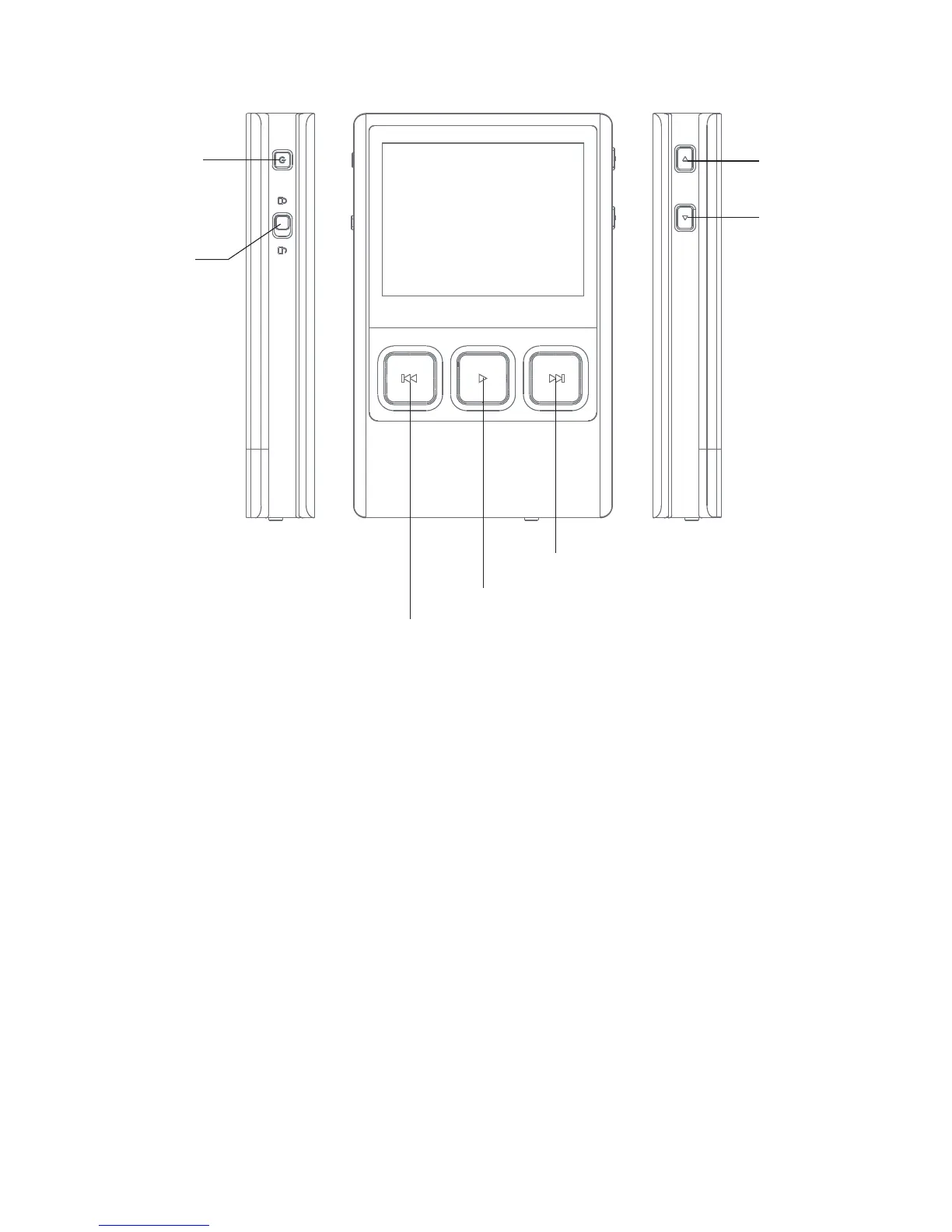
Volume +
Volume -
Power
Hold
Next/Fast Forward:
Previous/Rewind
Play/Pause
Short Press - Power the LCD screen on and off,
Long Press - Power the DX50 on and off.
Power:
Move the hold switch to activate or deactivate the button operation.
Hold:
Volume +:
Short-press to increase one step of the volume,
Long-press to continuously increase until its maximum.
Volume -:
Short-press to decrease one step of the volume,
Long-press to continuously decrease until its minimum.


 To Next Page