Need help?
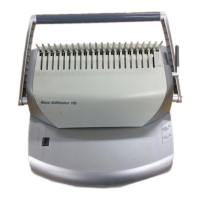
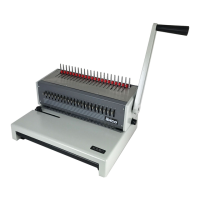
Do you have a question about the ibico ibiMaster 115e and is the answer not in the manual?
Caution: Unplug this product before cleaning. Wipe exterior only with a damp cloth.
Do not attempt to service or repair the ibiMaster 115/115e yourself. Contact authorised representative.
Use for intended purpose, place on stable area, follow warnings, lift by bottom, not cover.
Connect to correct voltage, ensure receptacle is accessible, unplug when not in use.
Rotate the edge guide to select paper or cover size you wish to bind.
Align sheets and insert into punch throat opening, pull handle down to punch.
Align document against support, read scale to find required comb binding element size.
Place document on opened binding element fingers, rotate lever to close element, lift book.
Gently pull chip drawer to open, empty, and re-insert.
Plug the power cord into an appropriate power receptacle.
Rotate the edge guide to select paper or cover size you wish to bind.
Turn machine ON, align sheets, insert into punch throat, press punch button.
Align document against support, read scale to find required comb binding element size.
Place document on opened binding element fingers, rotate lever to close element, lift book.
Pull drawer to open, empty, and re-insert; red light indicates full.
 General
| Binding Capacity | 450 sheets |
|---|---|
| Binding Type | Plastic Comb |
| Punching Capacity | Up to 20 sheets |
| Adjustable Margin | Yes |
| Vertical Punching | Yes |
| Binding Width | Up to 300 mm |
| Punching Holes | 21 |
| Binding Capacity (80 g/m²) | 450 sheets |
| Punching Capacity (80 g/m²) | 20 sheets |


 To Next Page