1-800-543-5454
(801) 927-3026
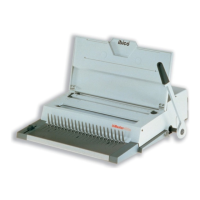
Ibico Kombo Binding Machine
Installation and Set-up
Carefully unpack and inspect your new Ibico plastic binding machine for shipping damage. If
any damage is noticed it should be brought to the immediate attention of the delivery carrier.
Place the machine on a suitable table close to an easily accessible 115 volt outlet. The following
instructions will demonstrate certain methods and techniques to improve your binding results.
Before using the machine carefully read through these instructions.
This machine is designed to punch up to 12 sheets of common photo copy paper. Cover materials
vary in thickness and composition; as a rule, covers should be punched two at a time separate
from the document. Some brands of clear plastic covers and sheet protectors do not punch
cleanly and may damage the machine. All Ibico cover materials are manufactured to punch
cleanly in any Ibico machine.
Starting the Machine
To start the machine, plug into standard electricity socket (115 V). Punching block
moves audibly into starting position. Attach handle right hand side onto shaft end.
Secure handle using enclosed screw and allen wrench.
Punching
1. Use guide to determine size of plastic comb.
2. Adjust punching depth with black knob (on right hand side).
3. Fanning and jogging the paper enables all sheets to be placed flush against the
paper stop for punching.
4. Place sheets flush into the machine (use side guide for adjustment).
5. Press switch on top right hand side. If too many sheets are used, the punching
block automatically reverses back to its original position. Reduce number of
sheets to maximize punching capacity and press switch again to restart cycle.
Binding
1. Place plastic comb open side up behind vertical metal fingers.
2. Push handle toward the rear to open rings of the plastic comb to the desired
distance.
3. Set the opening of the comb with black knob (left hand side).
4. Place punched sheets into open comb, front page facing you.
5. Move handle back into original (vertical) position to close binding element.
6. Remove bound and finished book vertically.
Adding and removing pages once bound
To add and remove pages once bound, reverse operation. Your Ibico document is now
bound!

 Need help?
 General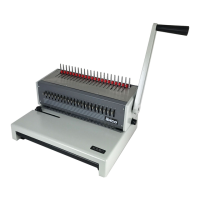

 To Next Page