©Copyright LOTRONIC 2016 QUAD8-FX Page 4
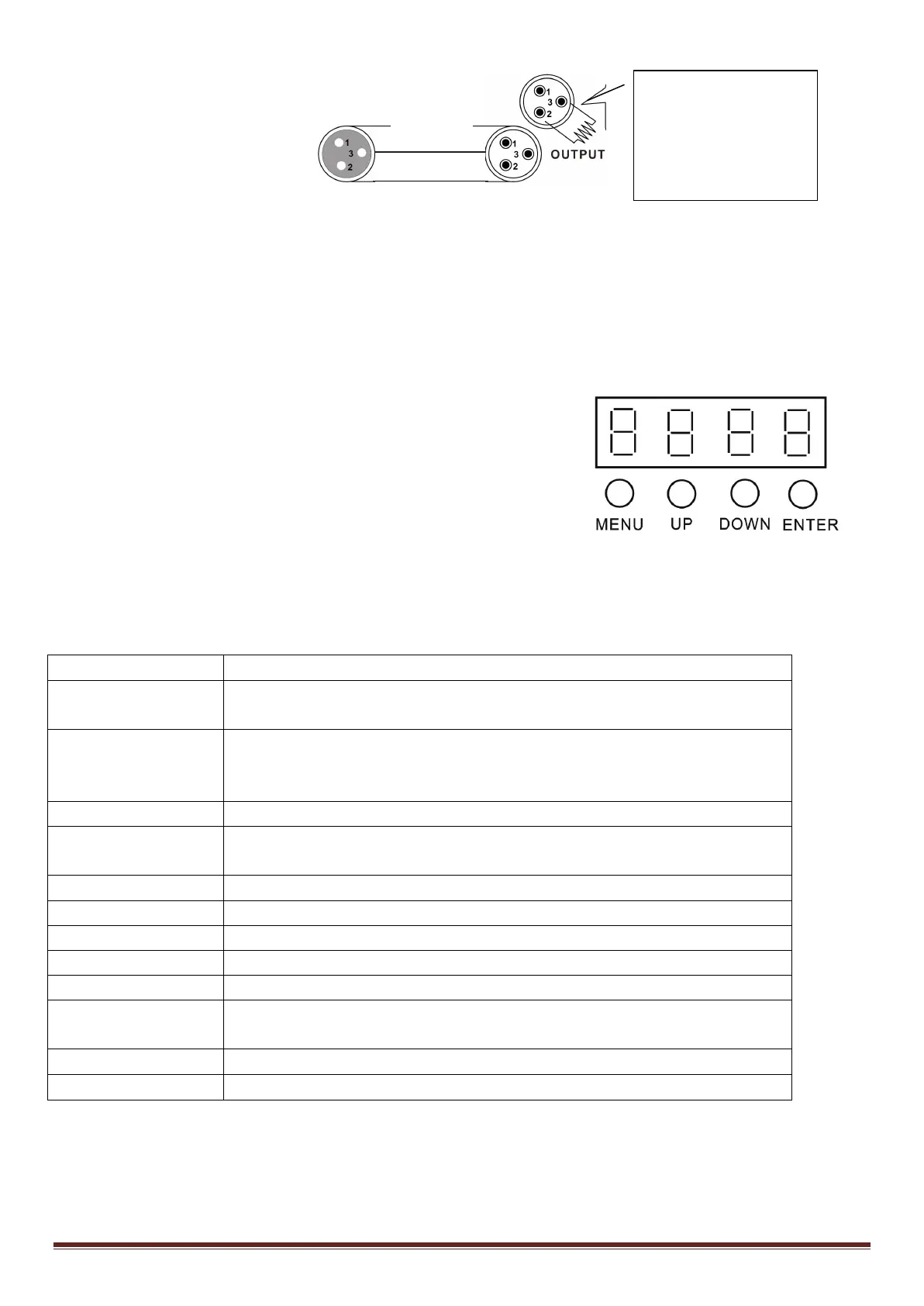
DMX connector configuration
Termination reduces signal errors. To avoid signal transmission problems and interference, it is always advisable to
connect a DMX signal terminator.
CAUTION
Do not allow contact between the common and the fixture’s chassis ground. Grounding the common can cause a
ground loop, and your fixture may perform erratically. Test cables with an ohm meter to check correct polarity and
to make sure the pins are not grounded or shorted to the shield or each other.
CONTROL PANEL
To access the main menu press the MENU button. Press the UP or DOWN
buttons until you reach function you wish to change. When you reach the
function you wish to change, press the ENTER button. When a function is
selected, use the UP or DOWN buttons to change the function settings.
Once your changes are made, press the ENTER button, and then press
and hold the MENU button for at least three seconds to confirm and lock the change into the system memory. To
exit without making any adjustments, press the MENU BUTTON. The display will lock after 30 secondes. Press the
MENU button for 3 seconds to unlock.
FUNCTION MENU
001 - 512, DMX Address setting
CHND
39 ch, select the channel mode
SLND
SL 1
SL 2 ( MASTER, SLAVEC OPTION)
SHOW 0 – SHOW 15, Select the show mode
AUTO
ON (Auto Mode)
000 – 100 Sound sensitivity control (0 close, 100 The most sensitive)
On - Off (Background LIGHT ON/OFF)
DISP
Dsip (Reverse Display)
Settings
DMX Address Setting
1. Press the MENU, UP or DOWN button until “ADDR” is displayed, press ENTER.
1/ 4w between pin 2
(DMX-) and pin 3
(DMX+) of the last


 To Next Page