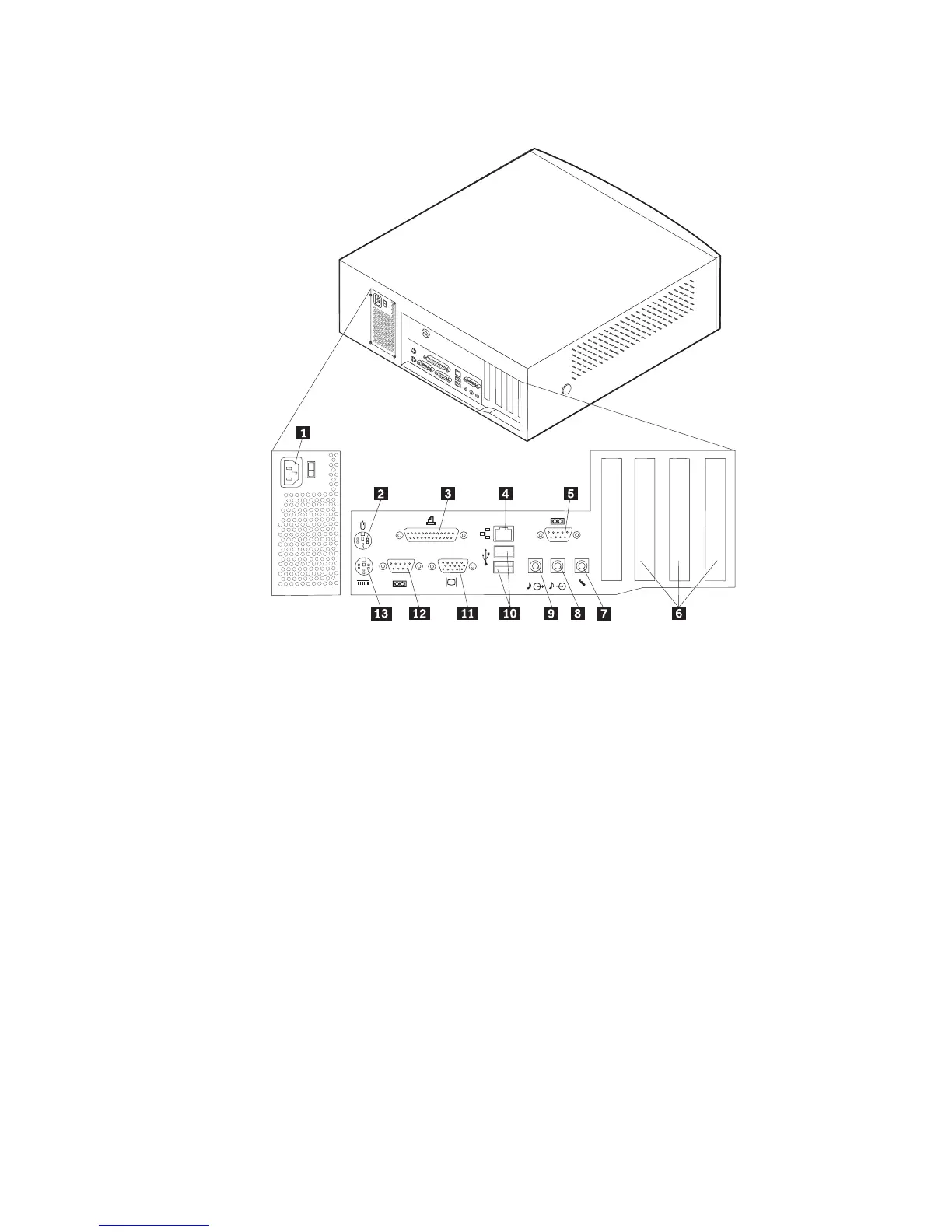
The following illustration shows the location of the connectors on the rear of the
desktop model computer.
1Power connector 8Audio line in connector
2Mouse connector 9Audio line out connector
3Parallel connector 10USB connectors
4Ethernet connector 11Monitor connector
5Serial connector 12Serial connector
6PCI slots 13Keyboard connector
7Microphone connector
Note: The connectors on the rear of the computer have color-coded icons to help
you to determine where to connect the cables on your computer.
Chapter 4. Installing Options 23


 To Next Page
 Loading...



