Serial touch screen calibration
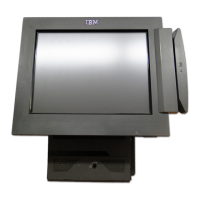
This chapter provides the procedures for configuring the serial touch screen installed in these IBM Point
of Sale hardware devices:
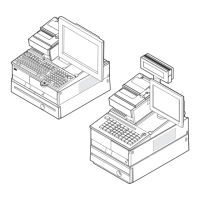
v IBM 4694-207/247/307/247 with serial-attached IBM 4820-2xx/4xx/5xx SurePoint Solution
v IBM AnyPlace Kiosk 4836 and 4838-x3x/3xx/5xx/7xx/9xx
v IBM SurePOS 300 4810-32x/33x/34x with serial-attached IBM 4820-2xx/4xx/5xx SurePoint Solution
v IBM SurePOS 500 4840, 4851/4951 with serial-attached IBM 4820-2xx/4xx/5xx SurePoint Solution
v IBM SurePOS 500 4846-5xx
v IBM SurePOS 700 4800-72x/74x/78x with serial-attached IBM 4820-2xx/4xx/5xx SurePoint Solution
To calibrate a serial touch screen, you must provide the serial touch screen’s minimum and maximum X
and Y coordinates to X Window System.
The following variables are used in the procedure in this section, and they vary based on individual
system:
Table 1. Serial touch screen calibration variable values based on system
System
(screen size)
/dev/ttySn
value
1
driver
2
minimum_X maximum_X minimum_Y maximum_Y
IBM
4694-207/247/
307/347
0 or 1 microtouch or
elographics
See “IBM 4820-2xx/4xx/5xx SurePoint Solution serial touch
screen coordinates” on page 4, if applicable to your installation.
IBM AnyPlace
Kiosk
4836/4838-132
(12")
1 microtouch 3 3963 32 4077
IBM AnyPlace
Kiosk
4836/4838-135
(15")
1 microtouch 0 3977 96 4062
IBM AnyPlace
Kiosk
4836/4838-137
(17")
1 microtouch 9 3870 190 4090
IBM AnyPlace
Kiosk 4838-3xx
(15")
4 elographics 18 3998 122 4045
IBM AnyPlace
Kiosk 4838-5xx
(15")
4 elographics 5 4024 32 4039
IBM AnyPlace
Kiosk 4838-7xx
(17")
4 elographics 17 3865 178 4037
IBM AnyPlace
Kiosk 4838-9xx
(19")
4 elographics 12 3973 110 4057
IBM SurePOS
300 4810-32x
0, 1, 4, 5, 6,or
7
microtouch or
elographics
See “IBM 4820-2xx/4xx/5xx SurePoint Solution serial touch
screen coordinates” on page 4, if applicable to your installation.
IBM SurePOS
300
4810-33x/34x
0 or 1 microtouch or
elographics
See “IBM 4820-2xx/4xx/5xx SurePoint Solution serial touch
screen coordinates” on page 4, if applicable to your installation.
Chapter 1. Common configuration procedures 3



 To Next Page