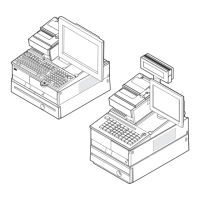
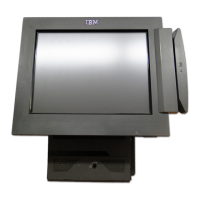
IBM SurePOS 300 4810-32x/33x/34x
To fully configure SLED 11 to run on an IBM SurePOS 300 4810-32x/33x/34x:
1. Install SLED 11 according to the documentation at http://www.novell.com/documentation/sled11/
index.html.
2. (4810-34x only) Uninstall all Compiz packages (refer to the SLED 11 documentation).
3. (4810-33x/34x only) Launch the terminal application from Init 3 text console mode.
4. (4810-33x only) Open the /etc/X11/xorg.conf file in a text editor and modify the Driver line in the
"Device" section as follows:
Driver "fbdev"
5. (4810-33x only) Perform the procedures in “FBdev driver configuration” on page 6.
6. Perform the procedures in “Serial touch screen calibration” on page 3.
7. (Dual display on 4810-34x only) Setup dual display:
a. Download the xorg-x11-driver-video-xxx.rpm from http://download.opensuse.org/repositories/
X11://XOrg://sle11/openSUSE_11.1/i586/ (xxx is the full version number of the most-current
release of this driver).
b. On the command line, enter the following command:
rpm -ivh xorg-x11-driver-video-xxx.rpm
c. Open the /etc/X11/xorg.conf file in a text editor and add to the configuration of the attached
monitors as follows:
Section "Monitor"
Identifier "Monitor[TV]"
Option "Ignore" "yes"
EndSection
Section "Monitor"
Identifier "Monitor[LVDS]"
Option "Ignore" "yes"
EndSection
Section "Device"
[...]
Option "monitor-LVDS" "Monitor[LVDS]"
Option "monitor-TV" "Monitor[TV]"
[...]
EndSection
Section "Monitor"
Identifier "Monitor[0]"
[...]
EndSection
Section "Monitor"
Identifier "Monitor[1]"
[...]
EndSection
Section "Screen"
Device "Device[0]"
Identifier "Screen[0]"
Monitor "Monitor[0]"
[...]
EndSection
Section "Screen"
Device "Device[0]"
12 Linux OS Configuration



 To Next Page