i ie——C—iaCS
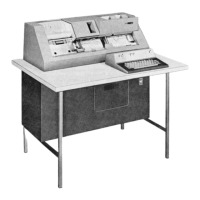
Figure 7. Input-Output Device
(Printer) Keyboard
vary from one airline’s reservation
system to another.
The following list
shows typical functions
that the spe-
cial character keys
can perform. Under
standard pro-
cedure, the tabulate function
is mechanically blocked.
FUNCTION
SYMBOL
Display
Change
Erase
End item
New number
in party
as
Change status
of segment
(css)
Insert after
segment
(IAs)
Special operational
program code
labels are on all
numeric
keys.
On-Off Switch:
This switch
is in the
lower right
corner of the
input-output
device.
Turning
this switch
to on brings
ac power
into the
input-output
device
and
the air information
device.
End-of-Line
Signal:
A bell
normally
signals
the
operator at
about ten
characters
before
the right
margin
stop. On input,
all keys
except control
keys
lock when
the right
margin stop
is reached.
On
output,
printing
can continue
until
the
type-head
carrier
mechanically
locks, at
which point
overprinting
occurs (if
carrier
return is
not programmed).
The
margin
stops
are set
only by the
IBM Customer
Engineers.
~
>
Sa
Ht
®
s
12
Keyboard Lock: Normally,
the keyboard is un-
locked. But the following conditions
cause it to lock.
1. Depressing the enter key
or any action button on
the rap causes the
keyboard to lock and
remain locked
until either: (1) the
complete answer
to the agent’s
message has been received
from the computer, or (2)
the agent presses the
reset button on
the air informa-
tion device.
2. Lack of availability
of the
system (as
in the case
of line trouble)
causes the
keyboard to
lock until the
system is again
available.
3. Generation
of faulty scp
characters
within the
input-output device
itself causes
a keyboard
lock. Push-
ing the reset button
unlocks
the keyboard.
4. Detection of an
error by the terminal
interchange
causes a lock. Pushing
the reset button
unlocks the
keyboard.
5. While any
message, either
an answer
to an entry
by an agent or an unsolicited
message, is coming from
the computer into the agent’s
set, the keyboard is
locked to prevent
the agent’s entering
an input mes-
sage until the output message is completed.
6. If the agent
strikes more
than seven
keys per
second (on a 74-bits-per-second
terminal
connection),
a lock occurs,
accompanied
by the lighting
of the re-
enter indicator. See “Operating
Instructions.”
OPERATING INSTRUCTIONS
Before
entering a message through the keyboard, check
that
the system available light on the air information
device is on. The keyboard will be unlocked. Depress-
ing
any key on the input-output device causes the char-
acter
representing that key
to be transmitted. The
message may be of any length.
Normally,
no keyboard lock should be encountered
during
the entry of a message
if the terminal set is
transmitting at about 148 or 207 bits per second; if it
is
transmitting at 74 bits per second, the keyboard
locks
briefly during each
character but, unless the
agent
types at a rate exceeding seven keys per second,
this
keyboard lock will not
cause an error condition.
However,
the lock will begin to be felt as the operator
approaches
a speed of seven keys per second and is a
guide to the proper typing speed.
Press
the enter key to end the message; this causes
the
keyboard to lock and remain locked until the com-
plete
return message is received by the terminal set.
If,
during the entry of a message into the input-out-
put
device keyboard, the keyboard locks and the re-
enter
light comes on (on the air information device),
push
the reset button on the
air information device and
then
re-enter the message. If
a message from the com-
puter
is being printed by the input-output device and
the push-repeat light (on the air information device)
comes on and the printer stops, push the reset button
on the air information device and then the repeat but-
ton on the routine action pushbutton module. The
computer will then repeat the message. If it does not,
again push the reset button and the repeat button.
Another
unsatisfactory computer response may indi-
cate
that something about the input message is in error;
therefore, push the reset button (if the reset light is
on)
and re-enter the input message.
IBM 1004 Terminal Control
All previously described components of the agent’s set
are connected to the terminal control. This unit con-
tains
the appropriate controls for the entire terminal
set and supplies all pc power. It is located in the lower
left portion of the terminal set—the only component
located below the counter-top working area (Figure
2). Its operation is completely automatic and, because
it is so closely associated with data flow, it is described
more
completely in the following section. The only
manual
operation related to the terminal control is that
of turning on the master power switch for the agent’s
set
(and then depressing the reset button on the aw).
Note
that the input-output device has an independent
power switch that must be turned on to bring power
to
the input-output and air information devices.
Agent's Set Data Flow, Messages, and Codes
The
various components of the agent’s set are inter-
related
as shown in Figure 8. All information to and
from
all other units in the
agent’s set passes through
the terminal control.
The
terminal control operates
in two modes: send
(input
data) mode, and receive (output data) mode. It
contains
a seven-bit data register.
In send mode, this
register
receives the CBA8421 bits in parallel from any
of
the peripheral devices
and sends them
in serial form
to
the terminal interchange,
adding two extra bits—
the
start bit (1) and stop bit
(0). In receive mode, the
data
register receives the seven
Bop bits serially from
the
terminal interchange
and, after
accumulating all
seven
bits, sends
them in parallel
to whichever
unit of
peripheral
equipment
they are addressed.
ee
=
110 volts AC
RAP
AID
Common
Carrier
Y yy
Equipment
or
:
—
Tecnieal
|
ate
be Terminal!
-—) 110
VoltsAC
erminal
Inter-
Gonna
change
* Interlocked with |-O Power-On Switch
Figure
8. Connection of Agent’s Set Subunits
Send Mode
The terminal control accepts
information from the
routine action pushbuttons
(rap) or air information
device (am) as follows. As
soon as the agent presses
an action key on the rap, the
scanner begins to scan
all buttons on both the rap and am for possible input.
The buttons on the rap with
their scp code (1) bits
are shown in
Figure 9.
The scanner scans first the
action buttons; second,
the month buttons; third,
the days (tens) buttons;
Agents’ Sets 13


 To Next Page
 Loading...