Controls and indicators
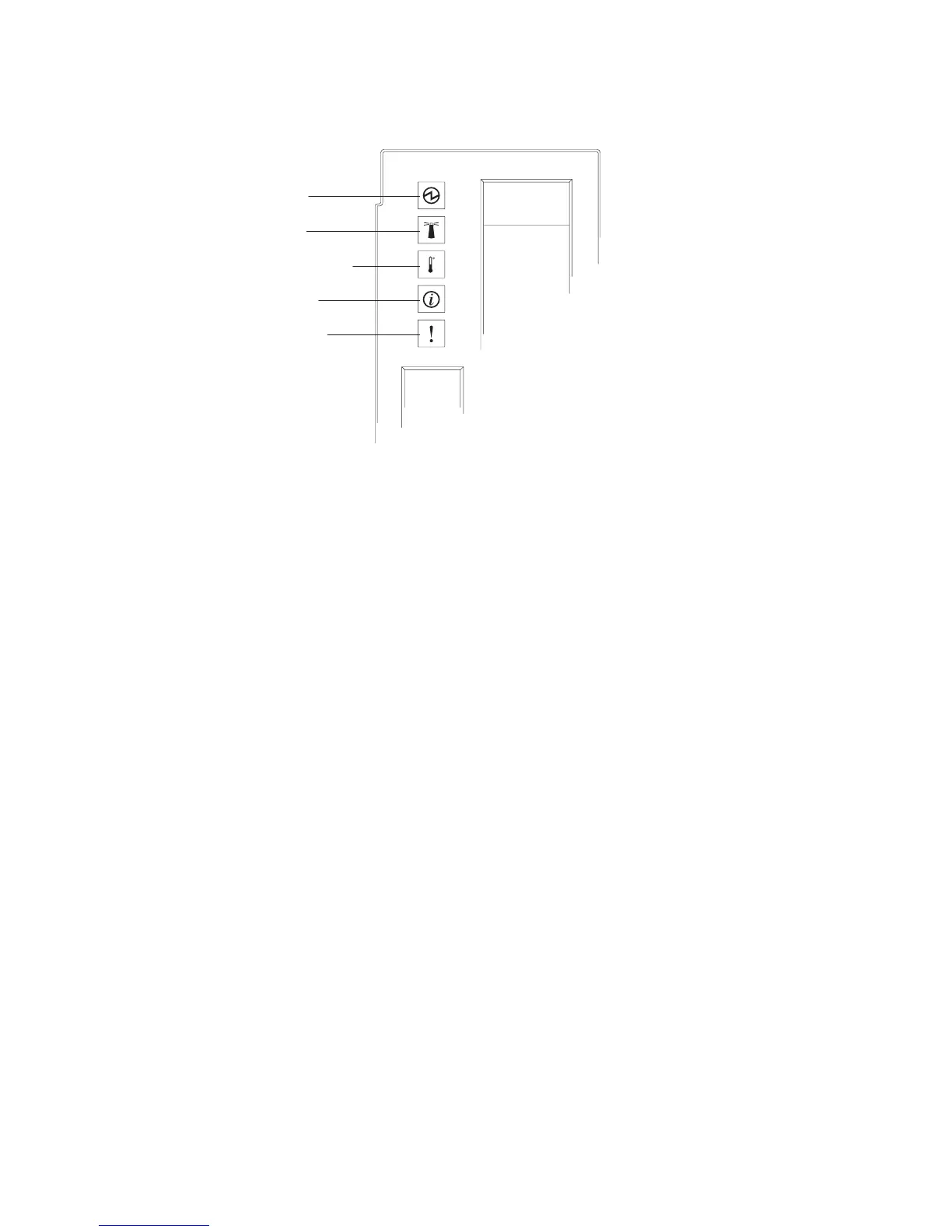
Power-on
Location
Over-temperature
Information
System error
The media tray provides the following controls and indicators:
System LED panel
The LEDs on this panel provide status information for the BladeCenter S
chassis.
Note: These LEDs are also displayed on the rear of the BladeCenter S
chassis.
Power-on
Lit (green). Power is being supplied to the BladeCenter S chassis.
Off. The power subsystem, ac power, or the LED has failed.
Note: Even if the power-on LED is off, always remove the power
cords from all power modules before you service the BladeCenter S
chassis.
Location
Lit or flashing (blue). It has been turned on by the system
administrator to aid in visually locating the BladeCenter S chassis.
You can turn off the location LED throught the Web interface or
the IBM Director console.
Over-temperature
Lit (amber). The temperature in the BladeCenter S chassis exceeds
the temperature limits, or a blade server reports an
over-temperature condition. The BladeCenter S chassis might have
already taken corrective action, such as increasing the fan speed.
This LED turns off automatically when there is no longer an
over-temperature condition.
Information
Lit (amber). A noncritical event has occurred that requires
attention, such as the wrong I/O module being inserted into a bay,
or power demands within the BladeCenter S chassis exceeding the
capacity of the installed power modules.
10 BladeCenter S Type 7779/8886: Installation and User's Guide



 To Next Page
 Loading...