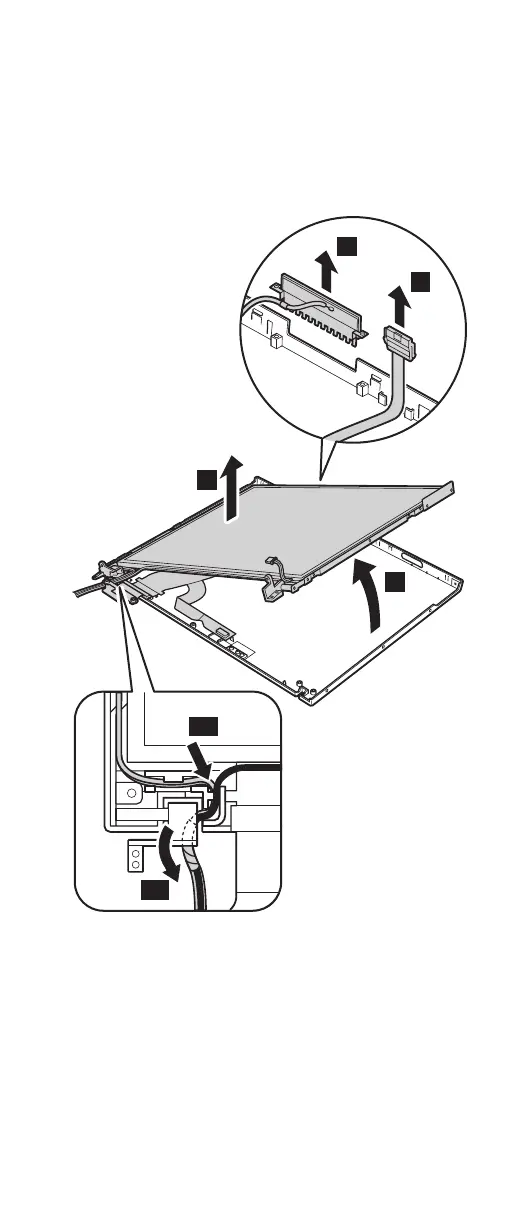
Slide the spiral tube binding the antenna cables (10a),
and then release the cables from the cable guide (10b).
Lift the LCD panel in the direction of arrow 11, and
detach the wireless LAN antenna 12 and the ThinkLight
13. Then remove the LCD panel in the direction of arrow
14.
11
14
13
12
10b
10a
(continued)
Removing and replacing a FRU
ThinkPad T43 Series 159



 To Next Page