b. Ensure that you received all the parts that you ordered.
Note: Your order information is included with your product. You can also obtain the order
information from your marketing representative or the IBM Business Partner.
Determining and marking the location in the rack
You might need to determine where to install the system unit into the rack.
About this task
To determine where to install the system unit into a rack, complete the following steps:
Procedure
1. Read the Rack safety notices (http://www.ibm.com/support/knowledgecenter/POWER10/p10hbf/
p10hbf_racksafety.htm).
2. Determine where to place the system unit in the rack. As you plan for installing the system unit in a
rack, consider the following information:
• Organize larger and heavier units into the lower part of the rack.
• Plan to install system units into the lower part of the rack rst.
• Record the Electronic Industries Alliance (EIA) locations in your plan.
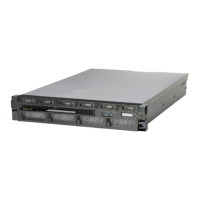
Note: This server is two EIA units high. An EIA unit is 44.45 mm (1.75 in.) in height. The rack contains
three mounting holes for each EIA unit of height.
3. If necessary, remove the ller panels to allow access to the inside of the rack enclosure where you
plan to place the unit.
2
Power Systems: Installing the IBM Power S1012 (9028-21B)



 To Next Page