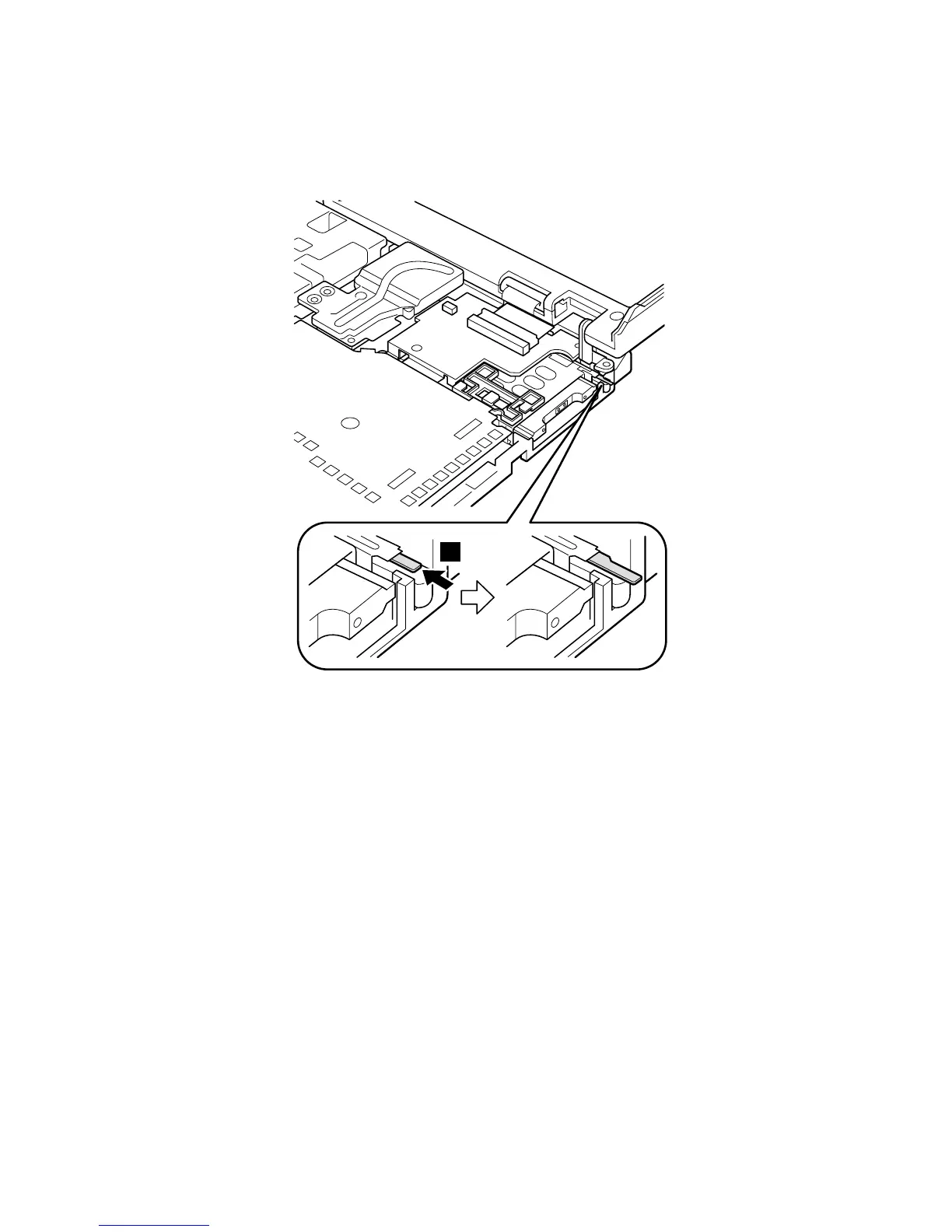
If you cannot pull the card out with your fingers, do as
follows:
1. Push the release button for the upper slot once a,
using a tapering stick; then the release button pops
out.
a
(continued)
Removing and replacing a FRU
80 ThinkPad A22m wireless models

 To Next Page
 Loading...