EasyManua.ls Logo

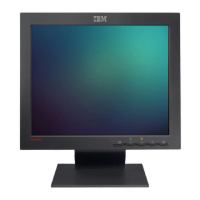
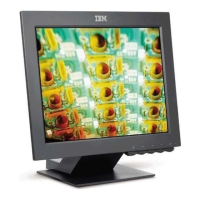
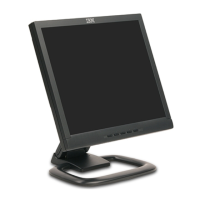
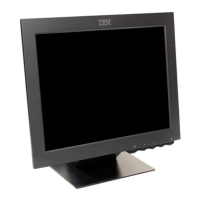
IBM ThinkVision 6734-AB9 - User Manual

IBM ThinkVision 6734-AB9
32 pages
Print Icon
To Next Page IconTo Next Page
Loading...
L170
User's Guide
IBM ThinkVision
TM
Monitor L170
English

Questions and Answers

  • E
    Eric VazquezJul 30, 2025
    What to do if the IBM ThinkVision 6734-AB9 screen is blank and the power indicator is steady amber?
    • C
      Cynthia WongJul 30, 2025
      If your IBM Monitor screen is blank but the power indicator is steady amber, it likely means the monitor is in Power Management Standby mode. Try pressing any key on the keyboard or moving the mouse to restore operation. Also, check the Power Management software settings on your computer. You may also need to press the power button to switch between analog and digital mode, as the monitor might be in the wrong mode for the signal it's receiving.
  • S
    Sarah SavageAug 9, 2025
    Why is my IBM ThinkVision 6734-AB9 screen blank but the power indicator is steady green?
    • C
      Colleen BlakeAug 9, 2025
      If the screen of your IBM Monitor is blank while the power indicator is steadily green, the brightness and contrast settings may be set too low. Try adjusting the brightness and contrast controls on your monitor to see if this resolves the issue.
  • W
    williamsgregoryAug 19, 2025
    How to troubleshoot a blank screen on an IBM ThinkVision 6734-AB9 Monitor when the power indicator is off?
    • D
      Daniel WhiteAug 19, 2025
      If your IBM Monitor screen is blank and the power indicator is off, it indicates that the monitor is not receiving power. Here are some things you can check: * Ensure that both the electrical outlet and the monitor are switched on. * Verify that the power cord is securely plugged into both the electrical outlet and the power supply unit. * If the power cord plug has a removable fuse, try replacing it. * Try using a different power cord. * Test with another electrical outlet. * Inspect the power connection at the back of the monitor panel.

Summary

Safety: Read First

Setting Up the Monitor

Product Description

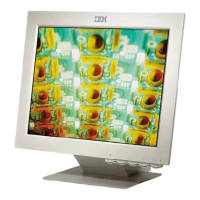
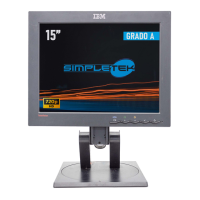
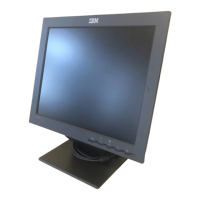
Details the IBM ThinkVision Monitor L170 and its included components.

Handling Instructions

Guidance on safely lifting and unpacking the monitor to prevent damage.

Kensington Security Slot

Workplace Preparation

Monitor Height and Orientation

Advice on monitor positioning for optimal viewing height and minimal reflections.

Adjusting the Monitor Position

Viewing Angle Adjustment

Instructions for tilting the monitor screen forward and backward for comfort.

Working Practices

Ergonomic Tips

Advice on posture, breaks, keyboard/wrist comfort, and eye care for reduced fatigue.

Screen Settings Adjustment

How to adjust screen brightness and contrast for comfortable viewing.

Caring for Your Monitor

Connecting Your Monitor

Turning On Your Monitor

Device Driver Installation

Windows 95;98 Driver Installation

Steps to install the monitor driver for Windows 95/98.

Windows 2000;Me Driver Installation

Steps to install the monitor driver for Windows 2000/Me.

Windows XP Driver Installation

Steps to install the monitor driver for Windows XP.

Automatic Image Setup

Image Setup Procedure

Procedure to auto-optimize monitor display for analog input signals.

Image Setup for DOS

Image Setup for Windows OS

Manual Image Setup

Adjusting Your LCD Monitor

User Controls Overview

Explanation of monitor buttons, OSD navigation, and direct access functions.

On-Screen Display (OSD) Controls

Further Information

Display Modes and Settings

Information on computer-controlled display modes and recommended settings.

Power Management

Product Disposal

Troubleshooting

Help and Service Information

Specifications

Service Information

Notices and Trademarks

Notices and Legal Information

Details IBM product availability, patents, warranties, and legal disclaimers.

Trademarks

IBM ThinkVision 6734-AB9 Specifications

General IconGeneral
BrandIBM
ModelThinkVision 6734-AB9
CategoryMonitor
LanguageEnglish

Related product manuals