5
2. Getting started
2.1 Delivered items
ISM-usb.1
PC - Radio station ISM-usb with integrated USB - connection cable, antenna, wall holder, manual
and CD-ROM containing USB - driver.
Please check the shipment for completeness and keep the packaging.
ISM-usb.2
PC - Radio station ISM-usb, antenna, mounting bracket for CD43 / CD70, manual and CD-ROM
containing USB - driver.
Please check the shipment for completeness and keep the packaging.
Note : For plugging on / removing the bracket for CD43 / CD70 the antenna can be unscrewed.
2.2 System requirements
PC with USB - interface and operating system Windows 2000 … Windows 10.
2.3 Installation of the USB - driver for the ISM-usb PC - Radio station
The driver installation package is located on the CD-ROMs ‚IBR Support Software‘ and
‚Software for Metrology and SPC‘ in the directory
<CDROM>:\USB-Driver\IMB-USB_RF1-USB\IMB-USB_RF1-USB_inst.exe.
The most recent version can be downloaded at http://www.ibr.com/download/IMB-USB_RF1-USB_inst.zip .
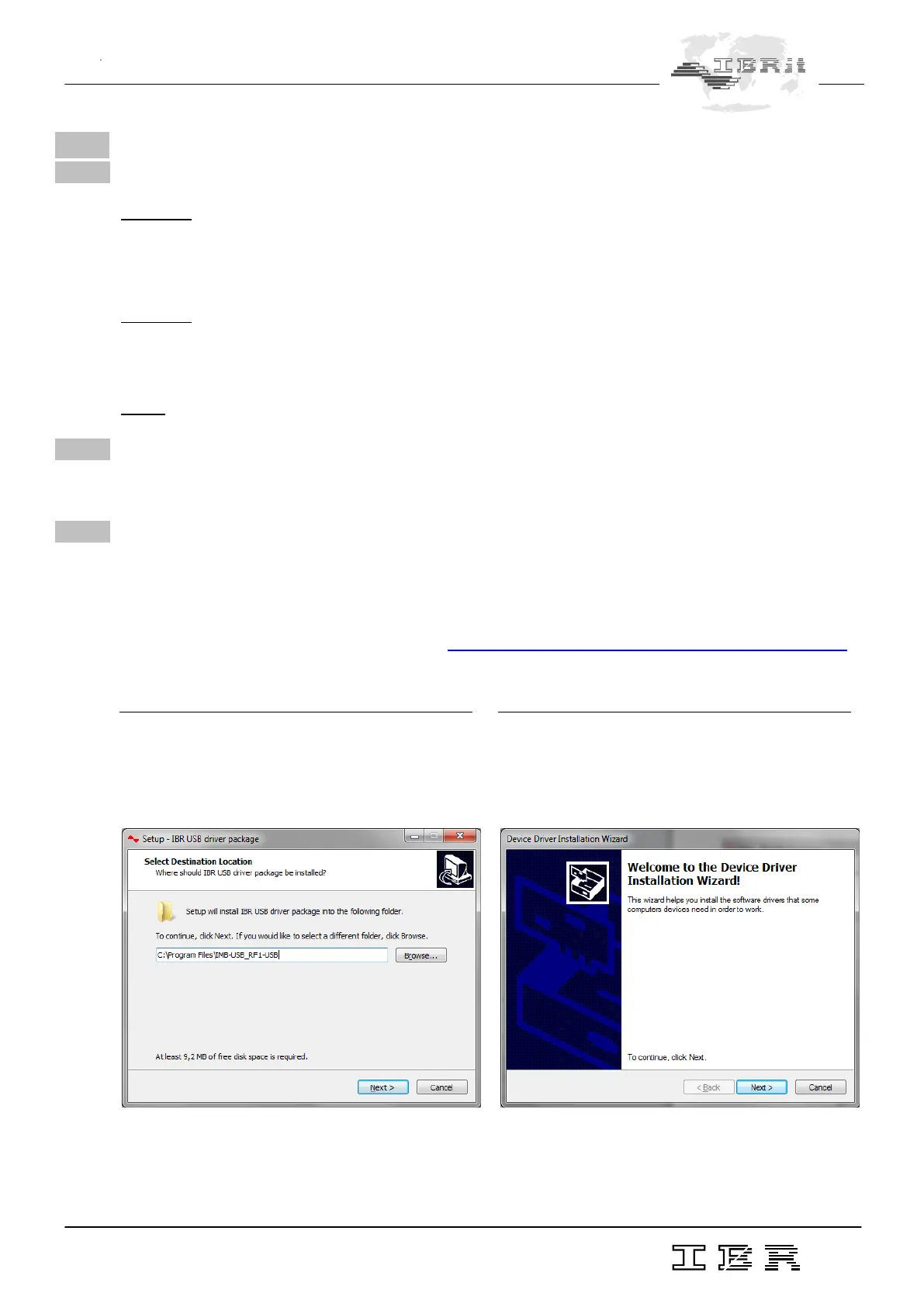
1.
When the driver installation package is started, the
installer asks for a directory where the driver files
shall be copied to :
2.
By clicking on Next, the installer copies the re-
quired files to the directory selected and automati-
cally opens the Device Driver Installation Wizard :



 To Next Page