9
Description of the display window :
Address - Displays the sender - address of the last transmitted measurement dataset.
Measurement value - Displays the measurement value of the last transmitted measurement dataset.
Language - List of languages available for selection. Displays the current setting.
Resolution - List of resolutions available for measurement value display. Indicates the
current setting.
Additional texts - Opens a window that allows adjusting various format settings concerning the
measurement data that is to be transmitted. The settings have effect only on
measurement data made available for other software ( e.g. MS-Excel,
MS-Word, ... ), by using the keyboard buffer.
Setup - Opens the window for interface settings and instrument selection.
Quit - Closes the IBR_SimKey software.
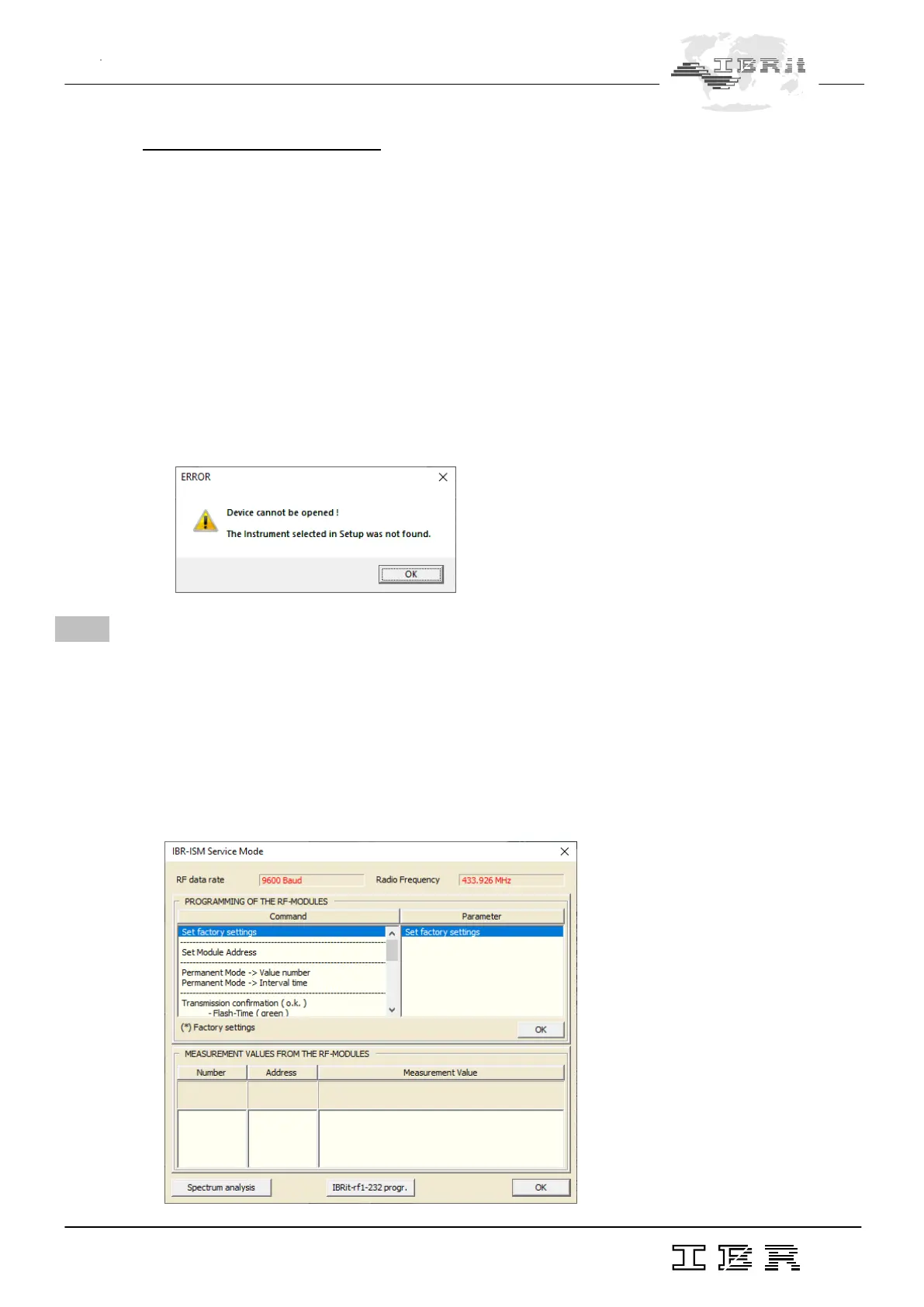
Please note that there must be a ISM-usb PC - Radio station connected to the PC in order to
operate the IBR_SimKey software. Otherwise you will receive the following message :
3. Programming of gauge radio modules by using the IBR_SimKey
PC software
The individual programming of the gauge radio modules can be done by using the PC - software
IBR_SimKey. All chosen settings are stored in the gauge radio modules and are preserved even if the
module’s batteries are exchanged.
Click on the Setup - button in the main window of the IBR_SimKey PC - software ( display window )
in order to program the radio modules. As a result, the window for interface settings and instrument
selection will be opened automatically. Please click the Service - button of this window in order to access
the programming window. It is displayed below.



 To Next Page