ic audio GmbH
Boehringerstraße 14a; D-68307 Mannheim; Germany
Fon: + 49(0) 621 / 77096-0; Fax: + 49(0) 621 / 77096-26
E-Mail: info@ic-audio.com; www.ic-audio.com
EN
15
MT-AMP 1000
10. Microphone Installation
10.1 MIC. 1 Input.
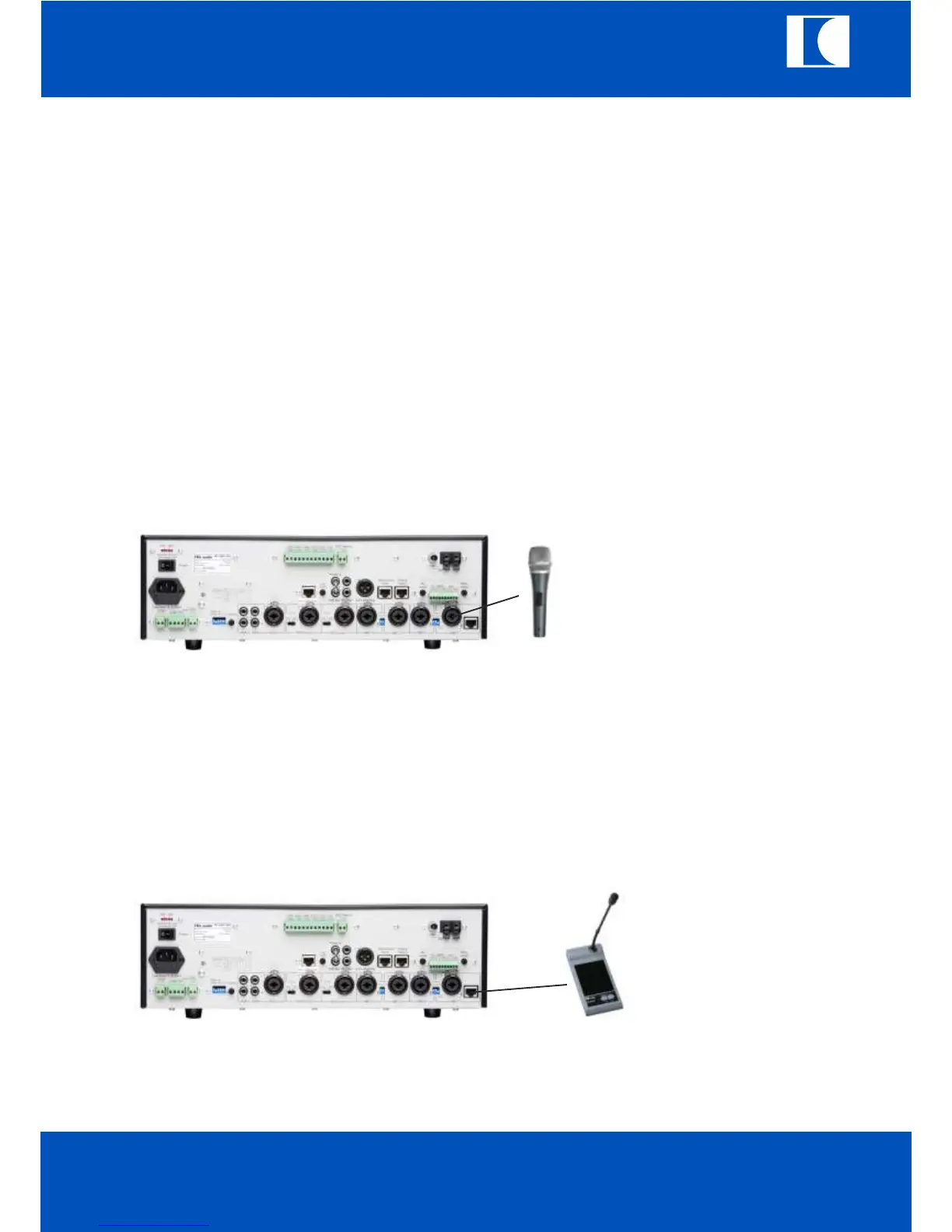
There are two different way of MIC1 input.
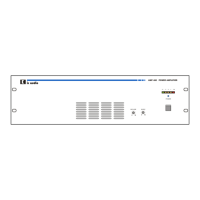
One is XLR input, the other is MT-PM-01 all call microphone input .
Set the phantom power ON and PTT OFF.
10.1.1. XLR input only
a. Set the PTT at “OFF”
b. Insert the XLR input
The Mic1 will not have the priority to other microphone inputs.
10.1.2. XLR input and PTT setting
a. Set the PTT at “ON”
b. Insert the XLR input
The Mic.1 will override and mute all the other inputs except TEL/Emer/100V input.
10.1.3. All call paging station
a. Insert MT-PM-01 to the RJ45 (32)
b. Set the PTT at “ON”
c. Press to give announcement. There will be chime first when the PTT key of MT-PM.-01 is pressed.
d. Release the PTT key of MT-PM-01 to stop operation.
The Mic1 with MT-PM-01 will override and mute all the other inputs except TEL/EMER/100V input.
10.1.4. Phantom power
Set the Phantom DIP switch at ON, it will supply phantom power for microphone.
ic audio



 To Next Page