Third Step:
connect with mobile-phone
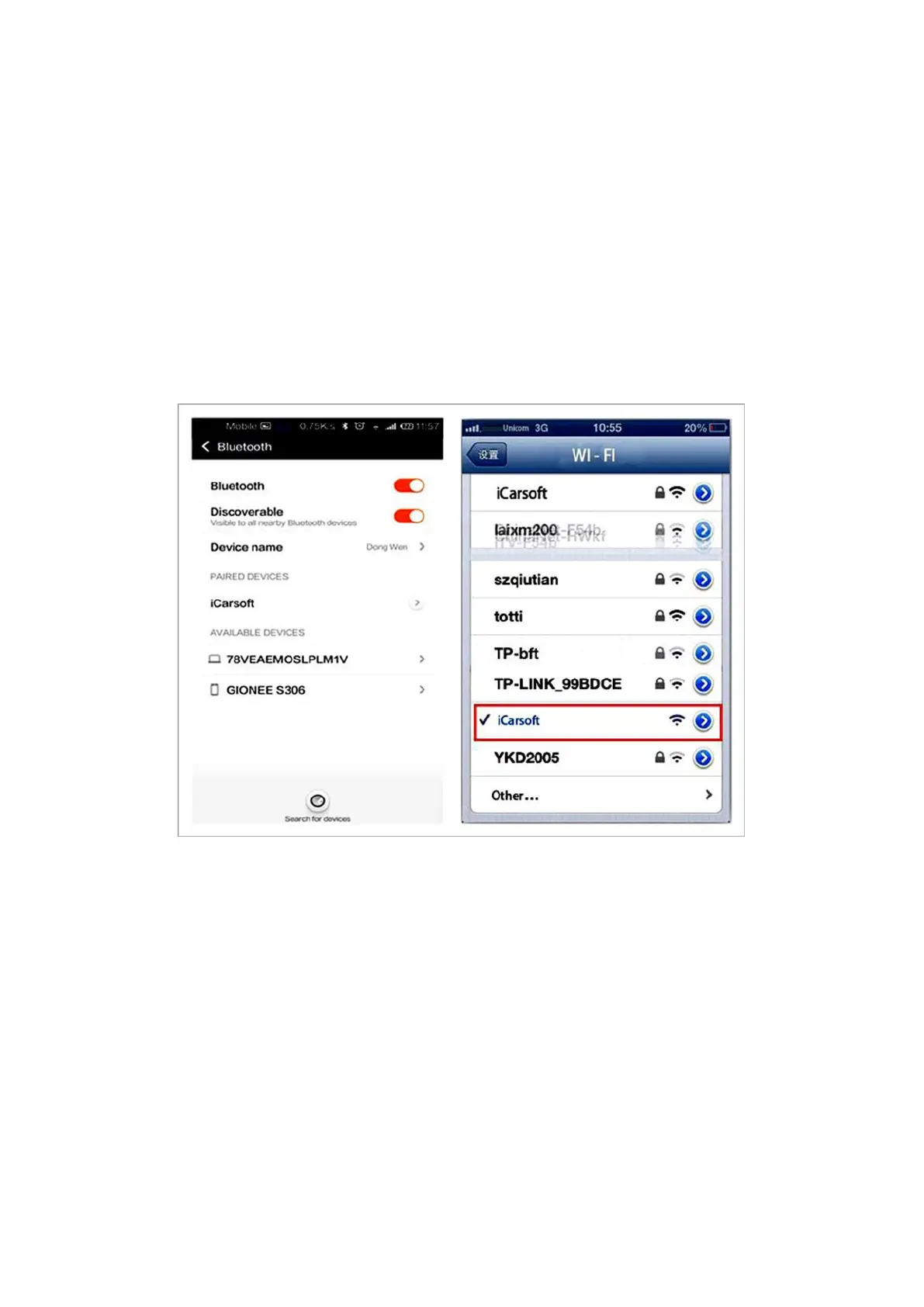
iCarsoft Bluetooth OBD Multi-Scan Tool i620 (Bluetooth) need the password to make
the verification, open the ‘Setting’ of your mobile-phone, unfold the Bluetooth, click
the ‘Bluetooth setting’ and scan the Bluetooth, choose ‘iCarsoft ‘and put the 1234 as
password, then finished all operation.
Forth Step:
After connection and setting, exit and open the related software TORQUE or
Dashcommand, then respectively doing several settings as following:
Open TORQUE, select ‘setting’, click OBD adapter setting, choose the connection
(Bluetooth) and select iCarsoft, then exit and back. Reopen the software, then it can
connect automatically and read data.










 To Next Page