iCarsoft English User’s Manual
9
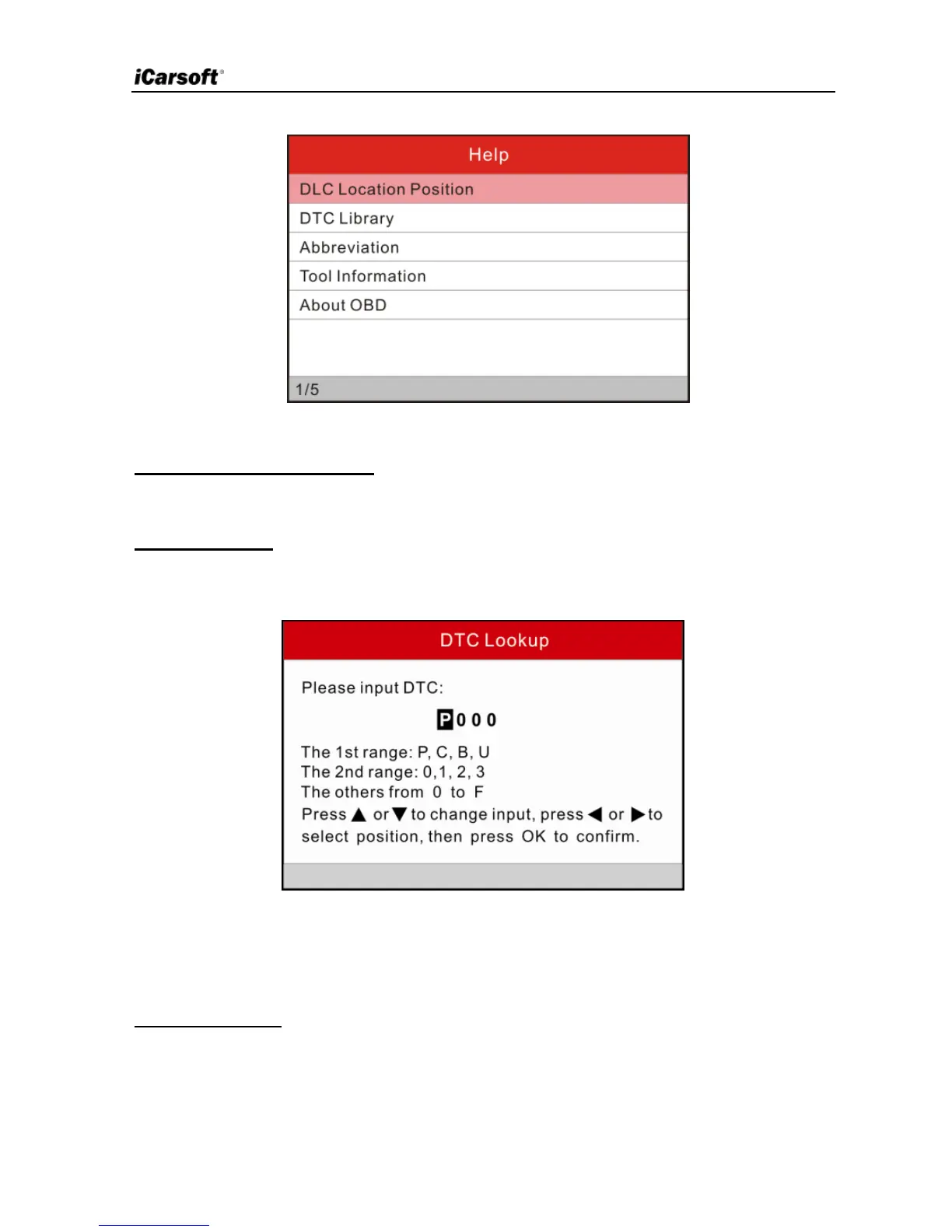
Figure 3-3
1) DLC Location Position
This option helps you to find the location of vehicle’s DLC.
2) DTC Library
In Figure 3-3, select [DTC Library] and press [OK] to enter the following
screen.
Figure 3-4
Press [►]/[◄] to move the highlight bar to different position; press [▲]/[▼] to
alter the value, and then press [OK] to retrieve the definitions of the DTC.
3) Abbreviation
In Figure 3-3, select [Abbreviation] and press [OK] to enter the abbreviation
word list.


 To Next Page