EN-8
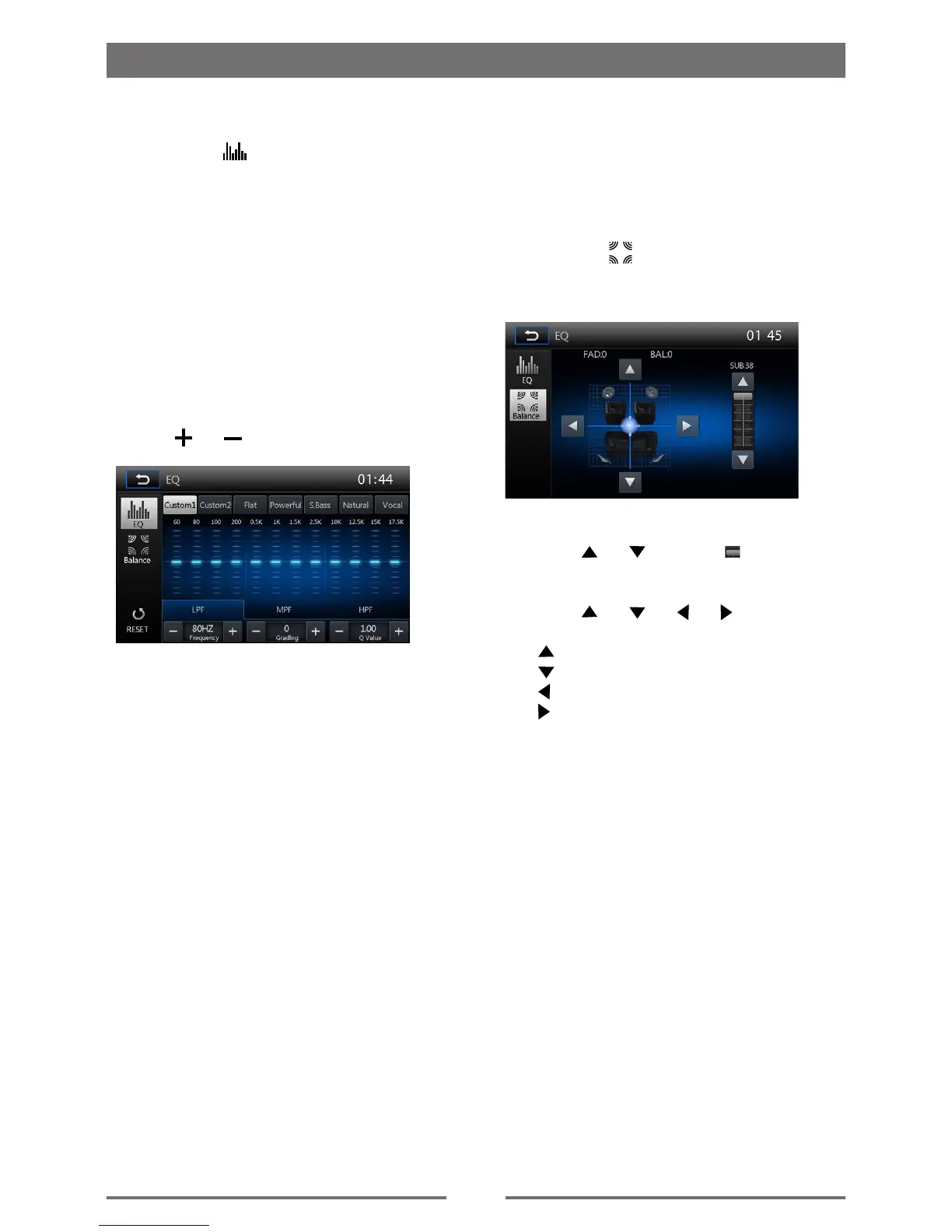
Select Preset Equalizer
1. Enter the EQ setup mode
Touch the [
] icon in the user interface
and the EQ setup interface will display on
the screen.
2. Select EQ mode
∙ [Custom1] ∙ [Custom2]
∙ [Flat] ∙ [Powerful]
∙ [S.Bass] ∙ [Natural]
∙ [Vocal]
3. [ RESET ]: Cancel the equalizer function
settings.
Adjust EQ Parameters
To adjust EQ parameters, touch the
parameters adjustment bar.
Touch [ ] / [ ] to adjust the parameters.
[LPF]
∙ Frequency range: 60, 80, 100, 200HZ
∙ Grading range: -15 to +15
∙ Q Value range: 1.00, 1.25, 1.50, 2.00
[MPF]
∙ Frequency range: 0.5, 1, 1.5, 2.5KHZ
∙ Grading range: -15 to +15
∙ Q Value range: 0.50, 0.75, 1.00, 1.25
[HPF]
∙ Frequency range: 10, 12.5, 15, 17.5KHZ
∙ Grading range: -15 to +15
∙ Q Value range: 1.00
Basic Operations
Adjust Fader/Balance
You can adjust front/back/left/right balance
of the speaker and the subwoofer volume to
get larruping listening effect according to the
surroundings and your interest.
1. Enter the EQ setup mode
Touch the [
] icon in the user interface
and the EQ setup interface will display on
the screen.
2. Adjust subwoofer volume
Touch [
] / [ ] or drag [ ] to adjust
subwoofer volume from 0 to 38.
3. Adjust fader / balance value
Touch [ ] / [ ] / [ ] / [ ] to adjust
fader / balance value
∙ [ ]: Front speaker, fader range: 0 to 7.
∙ [ ]: Rear speaker, fader range: 0 to 7.
∙ [ ]: Left speaker, balance range: 0 to 7.
∙ [ ]: Right speaker, balance range: 0
to 7.


 To Next Page