EN-21
Recorder (optional)
DVR Operations
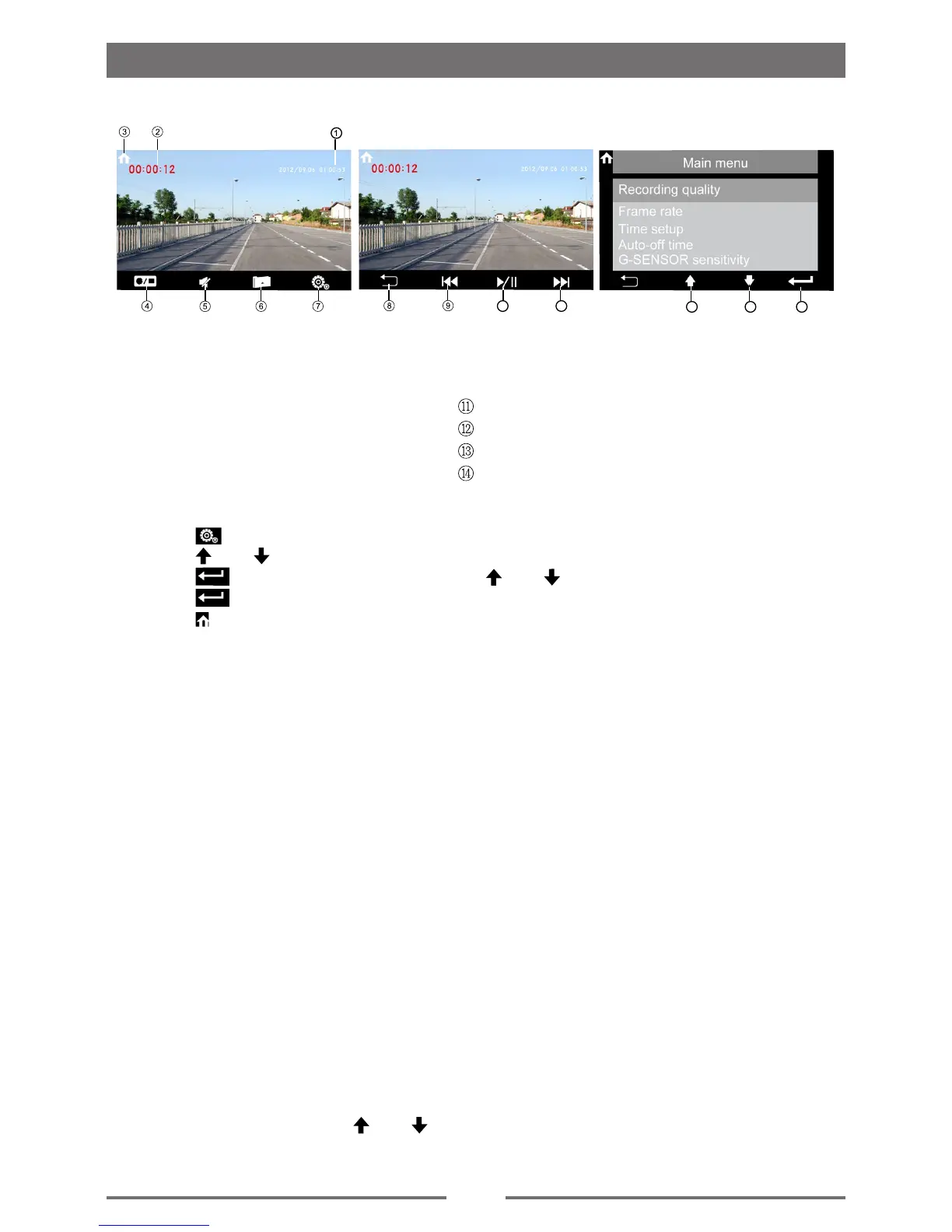
DVR main menu
1. Touch [ ].
2. Touch [
] or [ ] to highlight a setting.
3. Touch [
] to display an option, then touch [ ] or [ ] to a select.
4. Touch [
] to conrm.
5. Touch [
] of the screen to exit.
①
System time display
②
Recording time display
③
Open SOURCE MENU
④
Turn on or off the recording
⑤
Press to silence the audio volume
⑥
Next page
⑦
Enter the settings main menu
10 11
1312 14
• Recording quality
Touch [Recording quality] to select the desired recording quality.
• Frame rate
Touch [Frame rate] to select the desired frame rate.
• Time setup
Touch [ Time setup] to set the time.
• Auto-off time
Touch [ Auto-off time] to set the auto-off time.
• G-SENSOR sensitivity
Touch [ G-SENSOR sensitivity] to select the desired G-SENSOR sensitivity.
• Light frequency
Touch [ Light frequency] to select the desired light frequency.
• Language
Touch [ Language ] to select the desired language.
• Format
Touch [ Format ] to select the desired format.
• Default setting
Touch [ Default setting ], touch [
] or [ ] to select [YES] or [NO].
select [YES] , the DVR will default setting.
⑧
Return to the previous page
⑨
previous recording le
⑩
Play/pause recording le
Nexe recording le
Skip to the previous
Skip to the next
Enter


 To Next Page