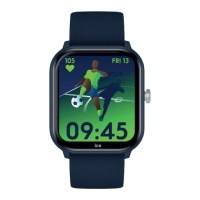
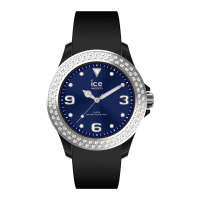
Need help?
Do you have a question about the ice-watch ICE JUNIOR and is the answer not in the manual?
Displays emergency contact information and allows recording of contacts.
Wear the device correctly, one finger width from the carpal bone.
Wear the device a little tighter when using the heart rate monitor.
Follow guidelines to maintain waterproof/dustproof functions. Avoid high pressure and impact.
Connect and charge with the provided cable for at least 3 hours. Do not use chargers over 5V 2A.
Scan QR code or search "ICE JUNIOR" in App Store/Play Store.
Open App, press connect, ensure Bluetooth/Location are on, select device.
Press and hold the crown for 5 seconds to turn the watch on or off.
Press the crown to wake the screen, or turn wrist if gesture control is on.
Click Setting icon, then System, then Shut down to turn off the watch.
Records steps, distance, and calories used daily. Data resets at midnight.
Measure current heart rate. All-day monitoring available via App.
Records total sleep, deep sleep, and light sleep for detailed analysis in the App.
Watch face changes and customization from the App are not available offline.
Alarm setting function is not available when the watch is used alone.
Message notification feature is not available when the watch is used alone.
2 years local warranty against defects in materials and workmanship, excluding battery/strap.
Covers personal disassembly, dropping, man-made damage, and improper use.
Read manual carefully, use only included cable, and do not leave charging unattended.
 General
| Brand | Ice-Watch |
|---|---|
| Model | ICE JUNIOR |
| Band Material | Silicone |
| Movement | Quartz |
| Dial Type | Analog |
| Display Type | Analog |
| Case Diameter | 34 mm |
| Battery Life | 2 years |
| Target Audience | Kids |


 To Next Page