11
2.6 Bluetooth
Press " " button to enter the Setting Mode
select to " " sign is ashing, use " " or " "
to switch between Bluetooth On or O.
" " " " means On, means O.
NOTICE: Factory default setting
Bluetooth is on.
2.7 Switch With Dual/Single Zone
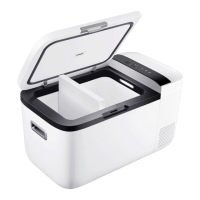
Just need to take out the Partitions Board. The
system will automatic change to single zone.
(will notice on the LED board)
NOTICE: Dual-zone mode default use
the selected compartment temperature
sensor for temperature sensing.



 To Next Page