EasyManua.ls Logo

Iceco VL35 - User Manual

Iceco VL35
8 pages
Print Icon
To Next Page IconTo Next Page
Loading...
VL35 / VL42 / VL45 / VL52
Question and Answer IconNeed help?

Do you have a question about the Iceco VL35 and is the answer not in the manual?

Summary

Safety Information

Warning

Warnings regarding appliance usage by vulnerable individuals, children, storage of explosives, heat, and rain exposure.

Notice

Disclaimers for ignoring instructions, using unauthorized accessories, product movement, and damaged supply cords.

Intended Use

Specifies approved items for the refrigerator, prohibiting unsealed liquids and hot food.

Correct Disposal of This Product

Guidelines for responsible recycling and returning used devices for safe environmental disposal.

Danger

Critical warning about child entrapment risk; advises leaving shelves in place before discarding.

Measurements

Control Panel

Using the Control Panel

Guides on adjusting set temperature, understanding display indicators, and compressor operation cycles.

Operating

Front Key Function

Explains the function of control panel keys (COOL, C/F, SET, UP, DOWN, RESET) for temperature and settings.

Working Process

Details the appliance's cooling cycle, LED indicators, and power status based on temperature readings.

Display

Explains the LCD screen display of measured temperature, LED indicators, and temperature range indications (HI/LO).

Important Information

Fitting the Extension Collar and High Lid

Installation and Operation

12 V Installation

Details wiring requirements, battery recommendations, and matching fittings for 12V power connection.

240 V Installation

Instructions for connecting to mains power via a 240V adapter, warning against direct connection.

Efficient Operation

Advice on ventilation, transit cover usage, temperature equalisation, and normal operating sounds.

Using a Generator

Guidelines for using generators, recommending pure sine wave types and specific connection methods.

Common 12 V Power Supply Issues

Discusses common problems with 12V power supply including wiring, battery condition, and connections.

Cut In;Cut Out

Trouble Shooting

Troubleshooting Flow Chart

A flowchart to diagnose and solve common ICECO issues by checking power supply, control panel, and connections.

Red LED Error Light

Details error codes indicated by flashing red LED lights, correlating flashes to specific fault types.

Our Guarantee

Quality Service Guarantee

Questions and Comments

Overview

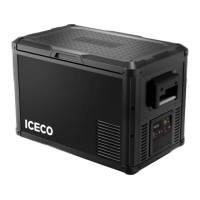
The ICECO VL35/VL42/VL45/VL52 is an expandable portable refrigerator/freezer designed for cooling and freezing items, offering versatility in its use. It can function as a dedicated fridge, a dedicated freezer, or a combination unit with a crisper, fridge, and freezer section simultaneously. The unique design allows the single unit to expand to four different sizes: 37qt (VL35), 44qt (VL42), 48qt (VL45), and 55qt (VL52) by utilizing an extension collar and high lid.

Function Description:

The appliance is designed to keep food and beverages cool or frozen. Users can set a desired temperature, and the unit will operate within a 2°C range (e.g., if set to 0°C, it will run until -2°C and stop, then cut back in at +2°C). This temperature cycling helps reduce power consumption. The unit features a control panel for adjusting settings and a display for monitoring the measured temperature. It can be powered by both 12V DC and 240V AC sources, with specific installation guidelines for each.

Important Technical Specifications:

  • Models: VL35, VL42, VL45, VL52
  • Expandable Sizes: 37qt, 44qt, 48qt, 55qt
  • Dimensions (VL35): 545mm (21.5") x 465mm (18.3") x 380mm (15.0")
  • Weight (VL35): 22.5kg (49.6 lbs)
  • Temperature Setting Range: -22°C to 10°C
  • LCD Display Temperature Range: -25°C to 40°C (displays HI for >40°C, LO for <-25°C)
  • Power Supply: 12V DC, 240V AC (requires 240V-12V adapter)
  • Battery Protection: Minimum 10.9V to start, 9.6V to continue operating.
  • Compressor Warranty: 5 years
  • Other Parts Warranty: 1 year

Usage Features:

  • Control Panel: Features "COOL" (K1) for quick temperature adjustments (-18°C, -20°C, -22°C), "C/F" (K2) for Celsius/Fahrenheit conversion, "SET" (K3) for setting temperature, "UP" (K4) and "DOWN" (K5) buttons for temperature increment/decrement (used with SET), and "RESET" (K6) to restore default settings (-2°C).
  • Operating Indicators: Red LED for cooling (compressor running), Green LED for energy saving (compressor off).
  • Expandable Design: The unit comes with an extension collar and a high lid, allowing users to increase its capacity. Hinges may require adjustment when first fitting the extension collar and high lid to ensure a flat fit.
  • Lift-out Baskets: Provides easy access to food and helps organize contents, reducing the need for rummaging.
  • Efficient Operation:
    • Ventilation: Requires sufficient air ventilation around the rear, sides, and top of the compressor compartment to allow heat escape.
    • Transit Cover: Designed to protect the unit from scratches, minor dents, and direct sunlight.
    • Equalizing Temperature: Running the unit on 240V for 4-5 hours before vehicle placement helps equalize internal air temperature, condenser, and insulation, leading to shorter cycle times and more efficient 12V operation.
  • Generator Use: Only high-quality pure sine wave generators should be used. For fail-safe operation, it's recommended to run a battery charger from the generator to a 12V battery, then power the ICECO directly from the battery.

Maintenance Features:

  • Troubleshooting Flow Chart: A systematic guide to diagnose and resolve common issues, including checking power supply, overriding the control panel, and inspecting connections.
  • Red LED Error Light: Located inside the compressor compartment, this light flashes a specific number of times to indicate different error types:
    • 1 flash: Battery protection cut-out (voltage outside cut-out setting).
    • 2 flashes: Fan over-current cut-out (fan loads electronic unit with >0.5A avg).
    • 3 flashes: Motor start error (blocked rotor or high differential pressure in refrigeration system).
    • 4 flashes: Minimum motor speed error (refrigeration system too heavily loaded, motor cannot maintain minimum speed ~1,850 rpm).
    • 5 flashes: Thermal cut-out of electronic unit (refrigeration system too heavily loaded or high ambient temperature).
    • 6 flashes: Thermostat failure (NTC thermistor short-circuit or no connection).
  • Safety Information:
    • Not intended for use by persons with reduced physical, sensory, or mental capabilities without supervision.
    • Children should not play with the appliance and should not perform cleaning or user maintenance without supervision.
    • Do not store explosive substances or aerosol cans with flammable propellant.
    • Avoid direct heat sources or direct sunlight exposure.
    • Keep away from rain; place on a dry, protected surface.
    • Do not lay the unit on its back or sides, or at an angle exceeding 40°.
    • Do not operate directly from 240V mains power without a 240V-12V adapter.
    • Do not place items on top of the vents above the compressor.
    • Do not use a modified sine wave inverter.
    • Do not place unsealed ice or liquids inside.
    • Do not place hot products or food inside.
    • Disconnect power cable before maintenance.
    • Do not place carbonated or gaseous drinks under 0°C (32°F).
    • For disposal, use recovery systems or contact the retailer for environmentally safe recycling. Before discarding, remove shelves to prevent child entrapment.

Iceco VL35 Specifications

General IconGeneral
BrandIceco
ModelVL35
CategoryRefrigerator
LanguageEnglish

Related product manuals