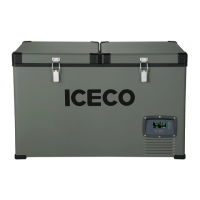
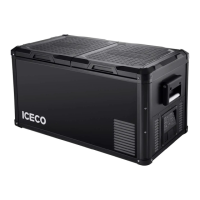
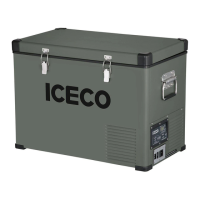
This document describes the ICECO VL35/45/60 ProS portable refrigerator, a versatile cooling appliance designed for various applications, including household, automotive, and camping use. The manual provides comprehensive instructions on its operation, maintenance, and safety, ensuring users can maximize its performance and longevity.
Function Description
The ICECO VL35/45/60 ProS is a portable refrigerator designed to keep items cool or frozen within a temperature range of -18°C to +10°C (0°F to 50°F). It operates on both DC 12/24V and AC 110-120V power, making it suitable for use in vehicles, homes, and outdoor settings. The device features a compressor-based cooling system, allowing for efficient and reliable temperature control. It includes a battery protection system to prevent over-discharge of the power source, ensuring the longevity of your vehicle's battery or portable power pack. The refrigerator also offers two compressor speed modes: MAX for fast cooling and ECO for energy-efficient operation.
Usage Features
The refrigerator's lid can be opened from either the right or left side, providing flexibility in placement and access. To open the lid from the right, users should keep their fingers together and grip the right latch, then push the latch inwards and lift the lid. The same steps apply for opening from the left side. For complete disassembly of the lid, users can grip both latches and push them inwards.
The control panel, located on the front of the unit, allows for easy operation. It includes a Power ON/OFF Button (B), a Compressor Speed (MAX/ECO Mode) Button (C), a Temperature DOWN Button (D), and a Temperature UP Button (E). The Battery Protection Settings Button (A) allows users to adjust the low battery protection level.
To turn on the fridge, press and hold the Power ON/OFF Button (B). Once on, the Compressor Speed Button (C) can be pressed to switch between MAX and ECO modes. For temperature adjustment, the Temperature Up (E) and Down (D) buttons are used. The display will show the current interior temperature as a solid number. When adjusting the temperature, the SET temperature will appear as a flashing number, and after it's set, the display will revert to the current interior temperature. To switch between Celsius and Fahrenheit, press and hold buttons C and D simultaneously for 3 seconds.
The refrigerator is equipped with a USB connector, which is active only when the device is charging via the DC power cord, allowing for convenient charging of small electronic devices.
The triple battery protection feature is crucial for vehicle use. It prevents over-discharge and battery depletion by shutting off the compressor when the measured DC voltage drops below a preset value. This ensures that the vehicle's battery retains enough power to start the engine. If an E1 error code appears, indicating low DC voltage, users are advised to lower the battery protection setting. This can resolve issues caused by minor wiring imperfections in certain vehicles that might cause a premature DC voltage drop at compressor start-up. It's also recommended to check the battery voltage to ensure it's not depleted. If the error persists, connecting to AC power or contacting customer service is suggested.
Maintenance Features
Proper cleaning and maintenance are essential for the refrigerator's performance and lifespan. Before any cleaning, the fridge must be unplugged. The interior and exterior can be cleaned using warm water mixed with a gentle, non-abrasive detergent. A soft sponge or microfiber cloth is recommended for cleaning.
To prevent odors when not in use, it's best to leave the lids open. If odors do occur, a thorough cleaning and placing baking soda in a bowl inside the fridge can help absorb them.
Several actions are considered "Danger Behavior" during maintenance and should be avoided:
- Using pointed objects to scrape or defrost ice.
- Using abrasive detergents.
- Using heavy-duty sponges, which can cause scratching.
- Cleaning the fridge with running water or a pressure washer.
- Cleaning the fridge without securing the power input covers.
The manual also provides troubleshooting tips for common issues. If the refrigerator was delivered upside down, it should be left upright for 24 hours before powering on to allow the compressor lubricant to resettle, preventing operational abnormalities. The device is designed to operate in ambient temperatures up to 55°C (131°F) and can withstand light rain, but it's not recommended for moderate or heavy rain. Vents should be kept clear of water, and clearances should be added to the bottom if the ground is wet. Over-exposure to moisture can shorten the fridge's life.
The refrigerator's supply line is protected by a 15A fuse, located within the unit. The power cable should only be replaced by qualified technical personnel or an authorized assistant body. Before any maintenance, all power sources must be disconnected.
The ICECO VL35/45/60 ProS is a robust and user-friendly portable refrigerator, designed with convenience and durability in mind, making it an ideal companion for various cooling needs.


 To Next Page
 General