DX12
Dual Balance Charger/Discharger/DC Power
Junsi Console for DX12
Please download the software via http://www.hillrc.com/soft/JunsiConsoleSetup.msi, double click the file:
JunsiConsoleSetup.msi to install.
Note: DX12-enabled third-party software Data Explorer http://www.nongnu.org/dataexplorer/download.html
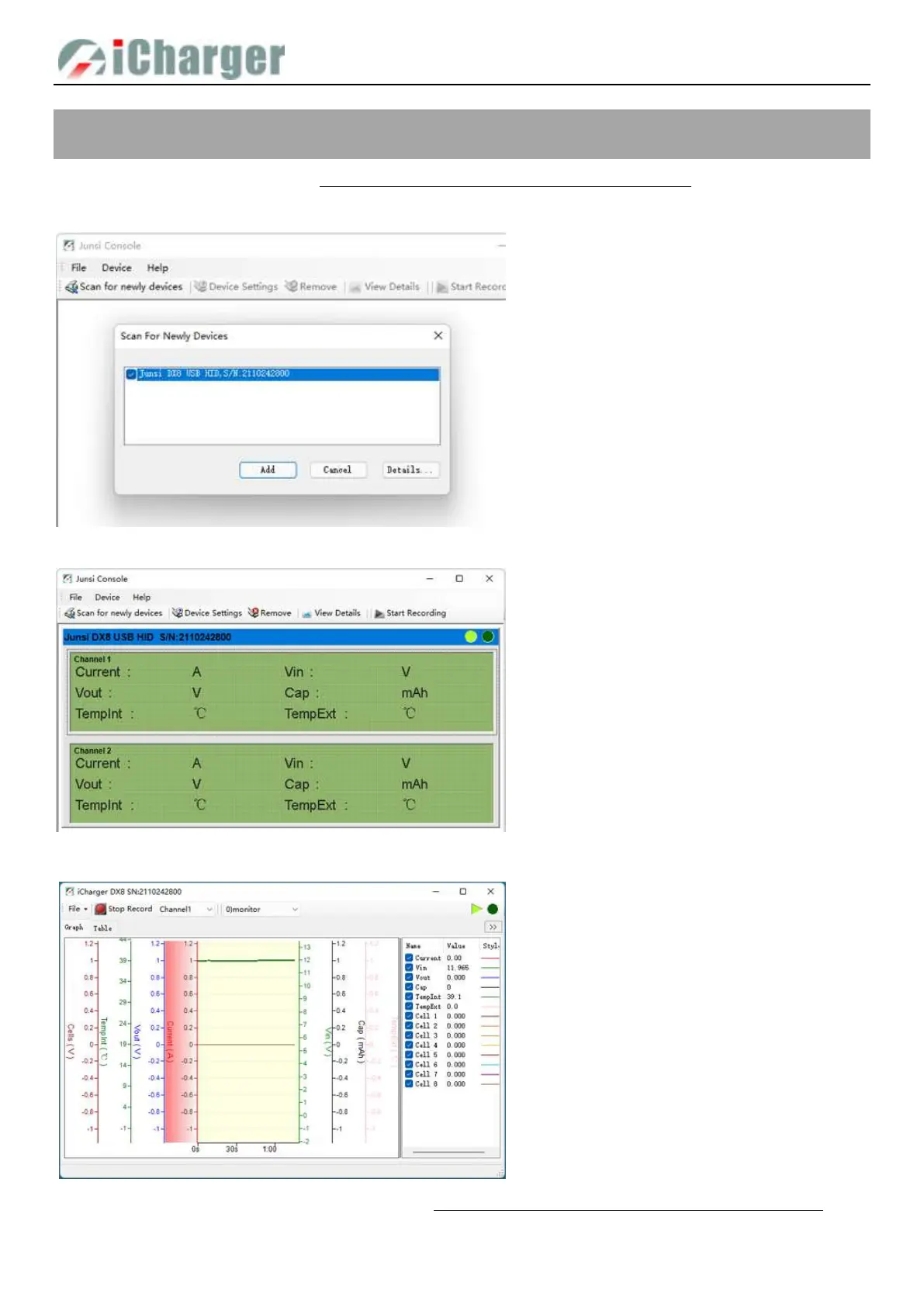
1. Connect DX12 with PC via USB port
(make sure USB driver has been installed),
and run the software, then the system will
find new equipment, so just click “Add”
2. Click “Start recording”, and then click
“View details”
3. Start the charge/discharge program of DX12,
then detailed data and curves can be viewed



 To Next Page