2
EN
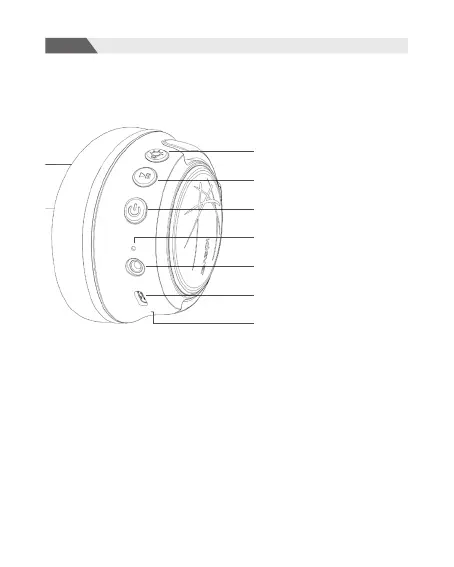
Light Mode Button
Multifunctional Button (MFB)
Power Button
Indicator Light
3.5mm Audio Jack
Type-C Charging Port
Microphone
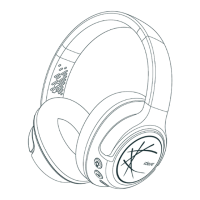
Product Diagram
ON/OFF
1. Power ON: Press and hold the power button for 4 seconds and you
will hear the prompt “Power On” with the RGB light going on. Once the
headphone is turned on, it’ll enter the Bluetooth pairing mode.
2. Power OFF: Press and hold the power button for 4 seconds and you
will hear the prompt “Power Off” . When the prompt is heard, the
headphone is turned off.


 To Next Page