Operating Guidelines
Indicator Light Descriptions
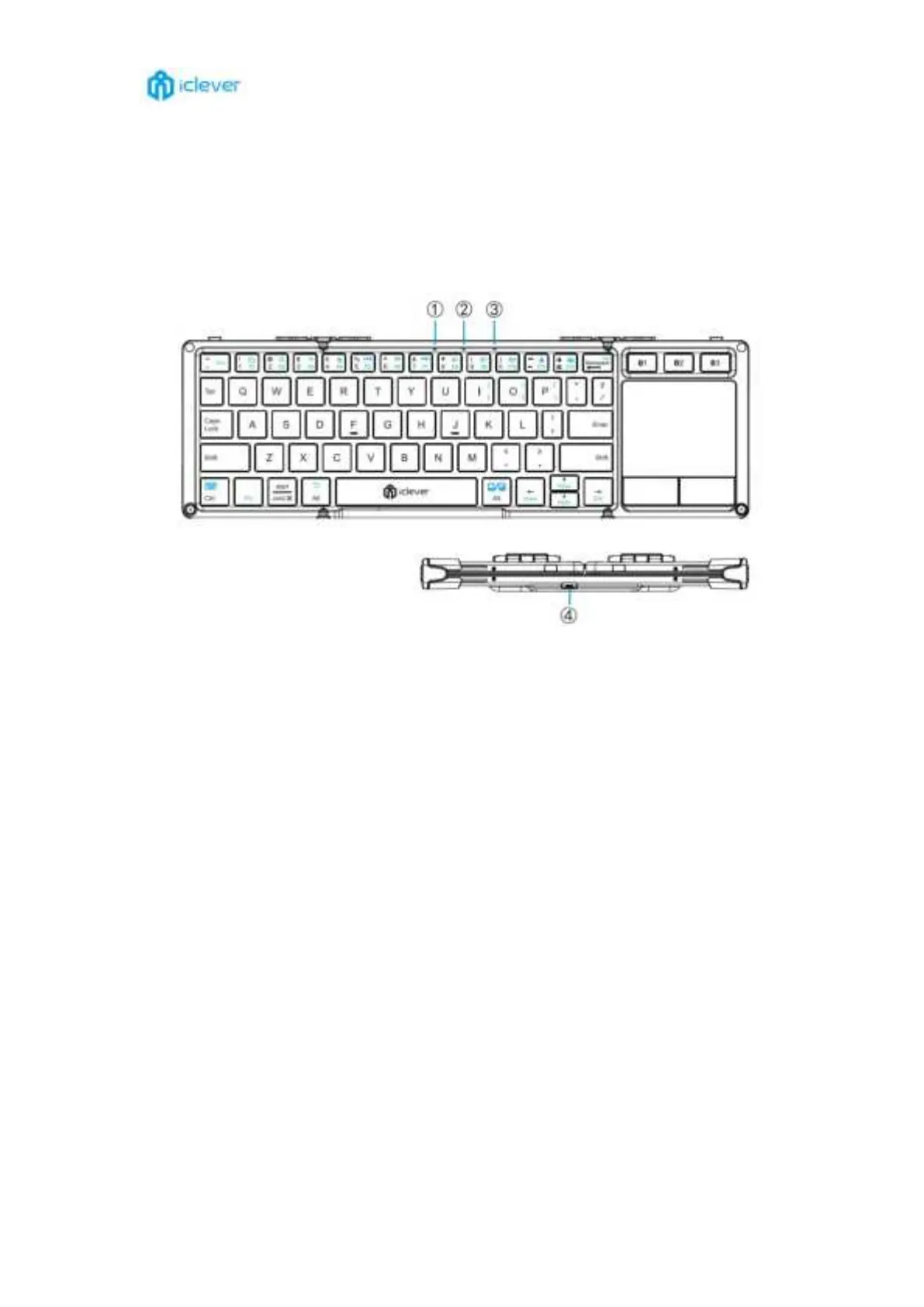
Power on status: indicator ①②③ will light up in blue for 3 seconds when power on.
Charging status: indicator ① will stay in red when charging and turn off once fully charged.
Low battery status: indicator ①②③ will flash in red when it is time to charge.
Bluetooth status: indicator ①/②/③ flash in blue when it is in Bluetooth pairing status
and turn off once paired successfully.
④ Charging port: for charging only.
Note:The charging port is USB-C port.



 To Next Page