ICOM 7100 Go-kit Connections
SRCARES-250_7100Connections – Rev 1.0 Page | 2 AJT-07/18/21
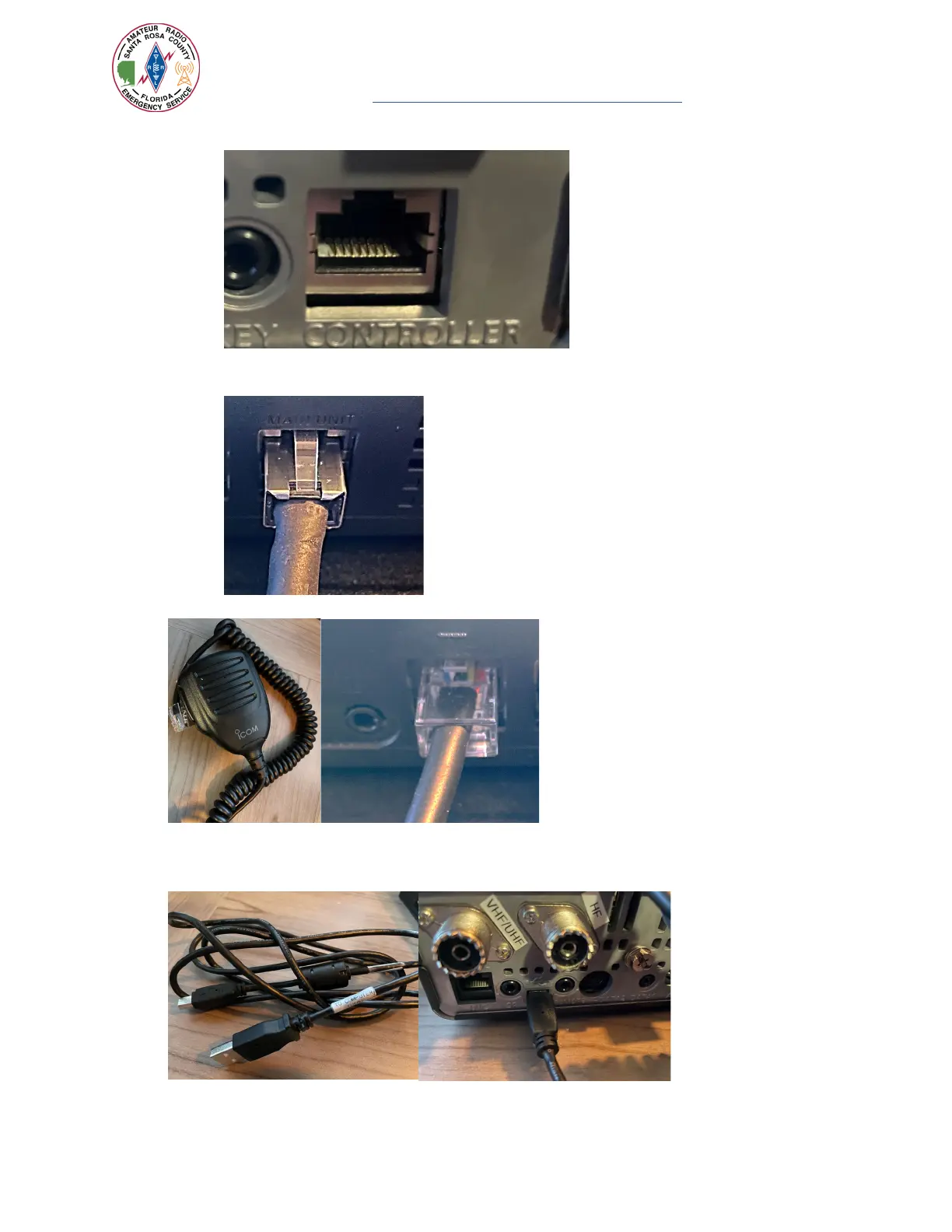
a. Connect one end of the cable to the main unit to the port labeled [CONTROLLER]
b. Connect the other end of the network cable to the rear of the control head to the port
labeled [MAIN UNIT]
7. Locate the microphone and connect to the control head’s [MIC] port.
8. If Winlink capability is needed, connect the smaller connector of the USB cable to the [USB} port
on the rear of the main unit then connect the other end to any available USB port on the
computer.


 To Next Page