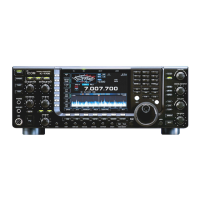
This document provides a maintenance guide for the Icom IC-775 and IC-775DSP transceivers, detailing procedures for installing optional units, performing adjustments, and replacing fuses or batteries.
The guide emphasizes safety warnings throughout, particularly the need to DISCONNECT the AC power cable from the transceiver and wait a few minutes before performing any internal work. This is crucial to prevent electrical shock and ensure safe operation. Bracketed page numbers refer to the main instruction manual for further details.
Opening the Transceiver's Case
To access internal components, specific steps are required to open the transceiver's case:
- Remove 6 screws from the top and 4 screws from the sides, then lift off the top cover.
- Turn the transceiver upside down.
- Remove 8 screws from the bottom cover, then remove the bottom cover.
Following these steps allows access to the RF, IF, and PLL units for maintenance or optional unit installation.
Beep Tone Volume Adjustment
The volume of the confirmation beeps, which sound each time a switch is pushed, can be adjusted:
- Remove the top cover.
- Set the [AF] control to the desired audio output level.
- Turn the confirmation beeps ON in H-set mode (refer to page 44 of the instruction manual).
- Rotate R26 (located on the right side of the internal board) while pushing [SET] to achieve the desired volume.
Display Dimmer Adjustment
The low intensity of the display backlighting can be adjusted:
- Remove the top cover.
- Select low intensity for the display dimmer in P-set mode (refer to page 41 of the instruction manual).
- Rotate R201 (located on the right side of the internal board) to obtain the desired intensity.
UI-100 DSP Unit Installation
The UI-100 DSP UNIT enhances the IC-775 with features such as noise reduction, DSP modulation/demodulation, DSP filters, auto notch, and auto APF. The IC-775DSP model includes a DSP unit as standard.
Installation steps for the UI-100 DSP unit are:
- Remove the top cover.
- Connect the three plugs (attached to the backside of the front panel) to their appropriate connectors.
- Insert the DSP unit into the slots at the backside of the main and sub dials.
- Tighten the two supplied screws.
- Replace the top cover.
After installation, the transceiver functions as a "DSP-equipped type." The [AF LPF] switch then functions as the auto notch switch in SSB mode and the auto APF switch in CW mode. For detailed information on DSP functions, refer to the instruction manual, specifically:
- Noise reduction (p. 29)
- DSP modulation/demodulation (p. 42)
- DSP filters (p. 42)
- Auto notch (p. 29)
- Auto APF/80 Hz ultra narrow filter (p. 30)
AC Voltage Selection
The regulator unit in the IC-775DSP can be switched between 120 V and 230 V AC. This procedure requires careful attention to safety and fuse replacement.
- Remove the top and bottom covers.
- Remove 7 screws and the [POWER] switch cover.
- Remove 6 screws.
- Remove the speaker, tuner unit, PA unit, and regulator unit in sequence. Unplug the three power connectors.
- Remove 16 screws to access the internal shield cover of the regulator unit.
- Unplug the cable and reconnect it to the desired voltage position (AC120V or AC240V).
- CRITICAL: Change the AC fuse to an appropriate one (refer to page 56 of the instruction manual).
- 12 A FGMB fuse for 100-120 V versions
- 5 A high breaking capacity fuse for 220-240 V versions
- WARNING: Failure to change the fuse when altering AC input voltage poses a fire hazard.
- Replace the internal shield cover and plug in the three power connectors. Replace the regulator unit, then check the movement of the [POWER] switch. Finally, replace the remaining units, covers, and screws.
Optional Filter Installation
Installing optional filters enhances the transceiver's selectivity, providing better S/N ratio or rejecting nearby interference. The IC-775/IC-775DSP supports 3 kinds of selectivity for 2nd and 3rd IF filters (2 kinds for FM mode).
Available optional filters:
- 2nd IF:
- FL-101: 250 Hz/-6 dB Passband width, for CW nar. selectivity.
- FL-102: 6.0 kHz/-6 dB Passband width, for SSB wide, AM med., FM nar. selectivity.
- 3rd IF:
- FL-223: 1.9 kHz/-6 dB Passband width, for SSB nar. selectivity.
- FL-53A: 250 Hz/-6 dB Passband width, for CW nar. selectivity.
- FL-222: 1.9 kHz/-6 dB Passband width, for SSB nar. selectivity.
Installation procedure:
- Remove the top and bottom covers.
- Insert the filter(s) into the proper position. The FL-53A and FL-222 must be installed in the correct direction; FL-101, FL-102, or FL-223 work regardless of orientation.
- Replace the top and bottom covers.
Important Note on Filter Selection: If only one filter is installed (e.g., FL-101 without FL-53A), optimum performance for selectivity and the twin PBT function will not be achieved. Both filters, such as FL-101 and FL-53A, should be installed for proper operation. After installation, activate the optional filter(s) in H-set mode (refer to page 47 of the instruction manual); otherwise, they cannot be selected.
UT-66 Voice Synthesizer Unit Installation
The UT-66 unit provides a clear, electronically-generated voice announcement of the operating frequency or selected mode in English or Japanese.
- Remove the top cover.
- Plug the UT-66 into J1 on the MAIN unit (located behind the S/RF meter).
- Replace the top cover.
- Set the language and speech speed in H-set mode (refer to page 44 of the instruction manual).
CR-282 High-Stability Crystal Unit Installation
Replacing the original crystal unit with the CR-282 improves the total frequency stability of the transceiver.
CR-282 frequency stability: ± 0.5 ppm (-30°C to +60°C; -22°F to +140°F). This is an oven-heat-type crystal unit, and the specified frequency stability is guaranteed 1 minute after power ON.
Installation procedure:
- Remove the top and bottom covers.
- Remove 10 screws from the PLL unit and the ribbon cable from J11; then turn over the PLL unit to access its reverse side.
- Unsolder and remove the leads of the installed crystal using a desoldering braid.
- Unsolder the 4 positions on the PLL unit where the CR-282 will be installed.
- Install the CR-282 in the PLL unit, paying attention to orientation: symbols on the bottom of the CR-282 must match symbols on the P.C. board.
- Bend the leads of the CR-282 at the foil side of the P.C. board and solder them.
- Trim the leads even with the solder points.
- Replace the PLL unit, ribbon cable, and covers.
Note: After changing the crystal unit, frequency adjustment is necessary with L4 on the PLL unit. Contact an Icom Dealer or Service Center for details.
Fuse Replacement
The transceiver has an external DC line fuse, separate from the AC line fuse, installed under the bottom cover.
WARNING: Disconnect the AC power cable and wait a few minutes before opening the covers.
- Fuse specifications:
- 2 A FGB fuse for 100-120 V versions
- 2 A high breaking capacity fuse for 220-240 V versions
If the fuse blows, identify the source of the problem and replace it with a new, rated fuse.
- Remove the top and bottom covers.
- Replace the damaged fuse with a new, rated fuse.
- Replace the top and bottom covers.
Backup Battery Replacement
The transceiver contains a lithium backup battery on the inside of the front panel (MAIN unit) to retain operating conditions. The typical life of this battery is approximately 5 years. If the battery is exhausted, the transceiver will transmit and receive normally but cannot retain operating conditions except for memory channels.
CAUTION: Incorrect replacement of the lithium battery could cause it to explode. Replace with a CR-2032 or equivalent type.
Replacement procedure:
- Remove the top and bottom covers.
- Remove 8 screws from the front panel.
- Remove the front panel.
- Replace the backup battery.
- Reassemble the front panel, ensuring the [POWER] switch works smoothly.
- Replace the top and bottom covers.
CAUTION: After replacing the lithium battery, turn power ON and OFF; otherwise, the lithium battery will become exhausted rapidly.
This guide was printed in Japan, Copyright © 1995 by Icom Inc.

 Need help?
 General

 To Next Page