EasyManua.ls Logo

Icom IC-400BB - User Manual

Icom IC-400BB
24 pages
Print Icon
To Next Page IconTo Next Page
Loading...
INSTRUCTION MANUAL
This device complies with Part 15 of the FCC Rules. Opera-
tion is subject to the condition that this device does not cause
harmful interference.
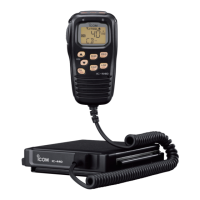
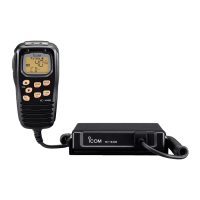
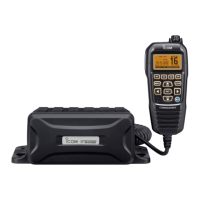
COMMANDMIC
IV
™ (HM-195)
may not be supplied, depending
on the transceiver version.
iM400BBE
VHF MARINE TRANSCEIVERS
iM400BB

Questions and Answers

  • F
    fbeanJul 28, 2025
    Why is there no sound coming from my Icom Transceiver speaker?
    • E
      Elizabeth MorrisJul 29, 2025
      If you're experiencing little to no sound from the Icom Transceiver's speaker, there could be a few reasons. First, the squelch level might be set too high, so adjust it to the threshold point. Also, the volume level could be too low; increase it to a suitable level. Finally, if the speaker has been exposed to water, use the AquaQuake function to remove it.
  • S
    Scott Campbell MDAug 3, 2025
    How to fix an Icom Transceiver that does not turn on?
    • C
      Charles WilsonAug 3, 2025
      If your Icom Transceiver doesn't turn on, the issue might be a bad connection to the power supply. Check the connection between the transceiver and the power supply to ensure it's properly connected.
  • R
    ruizbrandiAug 8, 2025
    What to do if Icom Transceiver cannot transmit or select high power?
    • A
      Allison RodriguezAug 8, 2025
      If transmitting is impossible or you cannot select high power on your Icom Transceiver, it could be due to a couple of reasons. Some channels might be programmed for low power or receive only, according to regulations, so try changing channels. Alternatively, the output power might be set to low; push the [HI/LO] button to select high power.
  • C
    Christine TurnerAug 13, 2025
    Why does my Icom Transceiver display “NO POSITION” and “NO TIME”?
    • K
      kevinlivingstonAug 13, 2025
      If your Icom Transceiver displays “NO POSITION” and “NO TIME,” it indicates that the GPS signal is not being received correctly. Ensure the GPS antenna is positioned in a location with a clear view to receive signals from satellites. If that doesn't work, you may need to manually enter the position and time.
  • B
    brandongonzalezAug 17, 2025
    How do I enable beep sounds on my Icom Transceiver?
    • J
      jonesjosephAug 17, 2025
      If there are no beep sounds on your Icom Transceiver, the beep tones may be turned OFF. Turn the beep tones ON in the CONFIGURATION menu.
  • D
    David JenningsAug 23, 2025
    Why can't I transmit distress calls on my Icom Transceiver?
    • B
      Brian JamesAug 23, 2025
      If distress calls cannot be transmitted from your Icom Transceiver, the MMSI (DSC self ID) code may not be programmed. Program the MMSI (DSC self ID) code into the transceiver.

Summary

Important Information and Features

Read All Instructions

Emphasizes reading all instructions before use.

Built-in DSC

DSC compliance with ITU Class D standard.

Built-in GPS Receiver

Integrated GPS receiver for position data.

In Case of Emergency

Distress Call Procedure (Channel 16)

Procedure for making a distress call on Channel 16.

DSC Distress Call Procedure (Channel 70)

Procedure for making a distress call using DSC on Channel 70.

Radio Operator Warning

RF Exposure Compliance

Information on FCC/IC RF exposure limits and safe distances.

FCC Information and Recommendations

FCC Part 15 Compliance

Equipment tested and found to comply with FCC Part 15 limits.

Precautions

Electrical Safety Precautions

Warnings about power connection, polarity, and lightning storms.

Preparation

MMSI Code Programming

Step-by-step guide to programming the 9-digit MMSI code.

ATIS Code Programming

Guide to programming the 10-digit ATIS code for specific versions.

AIS Transponder

Making an Individual DSC Call

Procedure to transmit an individual DSC call to an AIS target.

Connections and Maintenance

DC Power Connection

Connecting the transceiver to a 13.8 V DC power source.

Specifications and Options

General Specifications

Technical specifications of the transceiver.

Channel List

Troubleshooting

Common Problems and Solutions

Table of common issues, their causes, and solutions.

Icom IC-400BB Specifications

General IconGeneral
ModeFM
TypeMobile Transceiver
Channel Spacing12.5/25 kHz
Operating Voltage13.8V DC ±15%
Frequency Range400-470 MHz
Power Supply13.8V DC

Related product manuals