EasyManua.ls Logo

Icom IC-410PRO - User Manual

Icom IC-410PRO
32 pages
Print Icon
To Next Page IconTo Next Page
Loading...
ADVANCED MANUAL
INDEX
9 SPECIFICATIONS
8
OTHER FUNCTIONS
7 SELCALL (Selective Calling)
6 TONE SQUELCH AND POCKET BEEP
5 SCAN
4 REPEATER OPERATION
3 SET MODE
2 BASIC OPERATION
1 ACCESSORIES AND INSTALLATION
INTRODUCTION
i410PRO
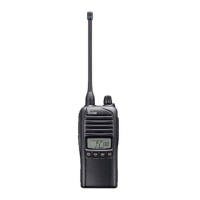
UHF CB TRANSCEIVER

Other manuals for Icom IC-410PRO

Questions and Answers

  • M
    michael37Aug 2, 2025
    How to unlock buttons on Icom IC-410PRO Transceiver?
    • T
      Timothy FrancisAug 2, 2025
      If your Icom Transceiver buttons aren't working, the Keylock function may be enabled. To disable it, hold down the [DUP] button for 2 seconds. Alternatively, the keys might have been reassigned.
  • J
    Justin CarlsonAug 8, 2025
    Why is my Icom Transceiver making continuous noise?
    • J
      Julia ThomasAug 8, 2025
      If you are hearing continuous noise from the Icom Transceiver's speaker, it could be due to several reasons. First, the Monitor function might be activated; try pushing the [MONI] button to deactivate it. Alternatively, the squelch level might be set too low. In that case, increase the squelch level via the Set mode. It's also possible that there's activity on the channel. To check this, determine if the noise persists on other channels. If not, another station might be transmitting, or you could be experiencing interference.
  • M
    Matthew LloydAug 14, 2025
    Why can't I receive transmissions on my Icom IC-410PRO?
    • B
      Brian CunninghamAug 14, 2025
      If you can't receive transmissions on your Icom Transceiver but others can hear you, the squelch might be set too high; try reducing the squelch level in the Set mode. Another possibility is that the tone squelch (quiet reception mode) is active, indicated by “TSQL” being displayed. To deactivate it, hold down [MONI] for 2 seconds several times until “TSQL” disappears. Also, ensure that the Selcall Quiet Mode is off, which you can adjust in the Set mode; this mode is indicated by a “Q” display.
  • S
    Sean CunninghamAug 19, 2025
    What to do if others cannot hear my Icom Transceiver transmissions?
    • J
      Jim JohnsonAug 19, 2025
      If you can receive transmissions, but others cannot hear you when using your Icom Transceiver, check the output power level. If it's set to “Lo” (indicated by “L” on the display), change it to “HI” in the Set mode. Also, consider that other stations might be using Tone squelch or Selcall modes. If so, ensure you have the correct Tone squelch setting for your user group.
  • P
    pamelafrazierAug 27, 2025
    Why is my Icom Transceiver beeping and transmitting automatically?
    • T
      Taylor DavisAug 27, 2025
      If your Icom Transceiver transmits regularly, the signal strength indicator blinks, and it beeps, the ATS (Automatic Transponder System) function is likely activated. To turn it off, push the [MONI] button.

Summary

Accessories and Installation

Rear Panel Connection

Explains connections for antenna, external speaker, microphone, and power supply.

Mounting the Transceiver

Details the process of physically mounting the transceiver using brackets and screws.

Basic Operation

Channel Selection

Guide on how to select different communication channels available on the transceiver.

Squelch

How to adjust the squelch level to eliminate background noise for clear reception.

Repeater Operation

Specifications

General Specifications

Covers frequency coverage, emission type, current drain, temperature, and dimensions.

Transmitter Specifications

Details output power, modulation system, frequency deviation, and spurious emissions.

Receiver Specifications

Covers sensitivity, squelch, intermodulation, and audio output power.

Icom IC-410PRO Specifications

General IconGeneral
BrandIcom
ModelIC-410PRO
CategoryTransceiver
LanguageEnglish

Related product manuals