9
7
6
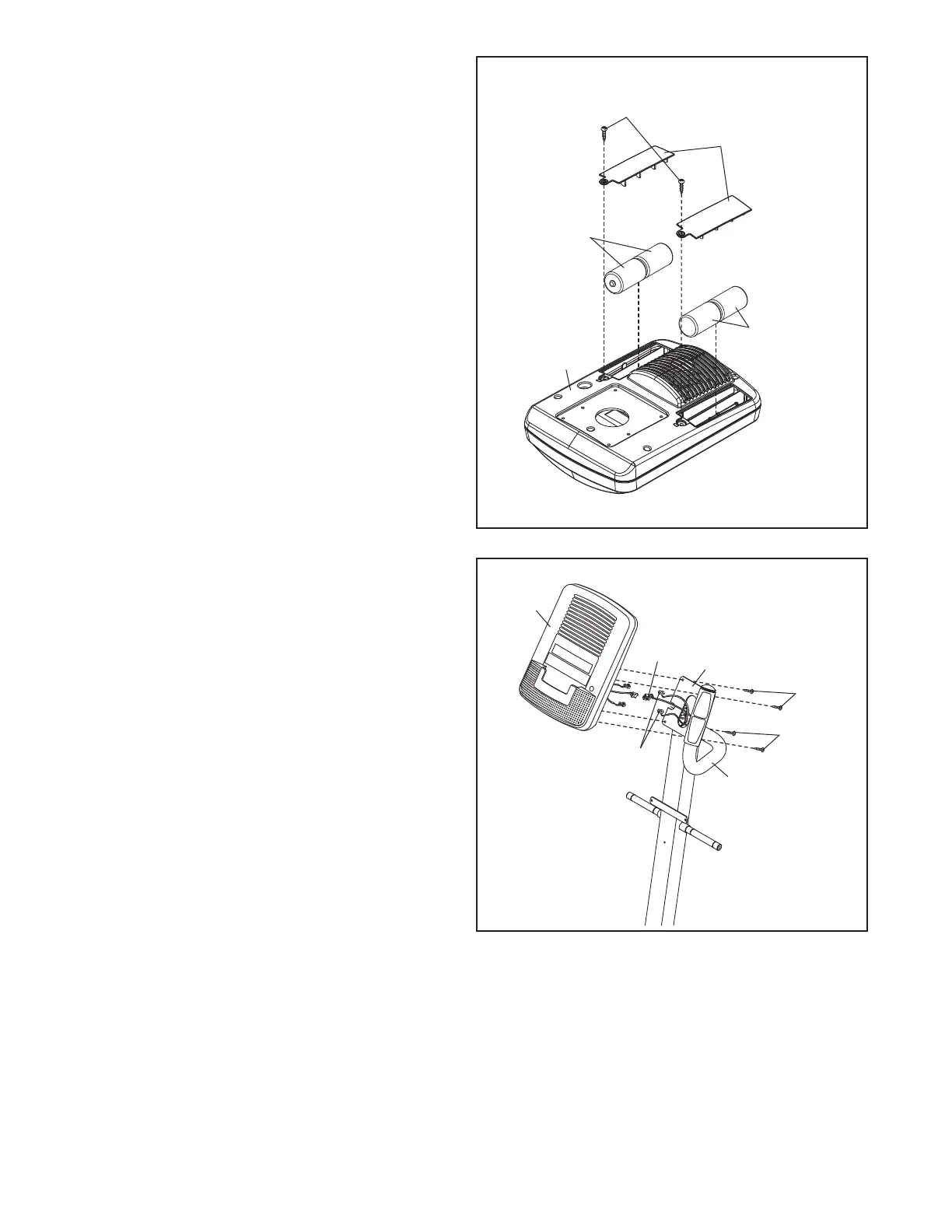
6. The Console (4) can use four D batteries (not
included); alkaline batteries are recommended.
Do not use old and new batteries together or
a
lkaline, standard, and rechargeable batteries
together. IMPORTANT: If the Console has
b
een exposed to cold temperatures, allow it
to warm to room temperature before insert-
ing batteries. Otherwise, you may damage
the console displays or other electronic
components. Remove the screws, remove the
battery covers, and insert the batteries into the
battery compartments. Make sure to orient the
batteries as shown by the diagrams inside
the battery compartments. Then, reattach the
battery covers.
To purchase an optional power adapter, call
the telephone number on the cover of this
manual. To avoid damaging the console, use
only a manufacturer-supplied power adapter.
Plug one end of the power adapter into the
receptacle on the console; plug the other end
into an outlet installed in accordance with all
local codes and ordinances.
4
Batteries
Batteries
Screws
Battery
C
overs
4
2
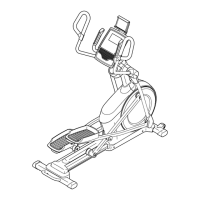
7. Untie and discard the wire tie attached to the
Wire Harness (42).
Locate the Pulse Wires (28) inside the left and
right sides of the Handlebar (39) and pull them
upward out of the Upright (2).
While a second person holds the Console (4)
near the Upright (2), connect the wires on the
Console to the Wire Harness (42) and to the
Pulse Wires (28).
Insert the excess wires into the Upright (2) or
the Console (4).
Tip: Avoid pinching the wires. Attach the
Console (4) to the Upright (2) with four M4 x
16mm Screws (92).
28
42
39
92
92
Avoid
pinching
the wires



 To Next Page