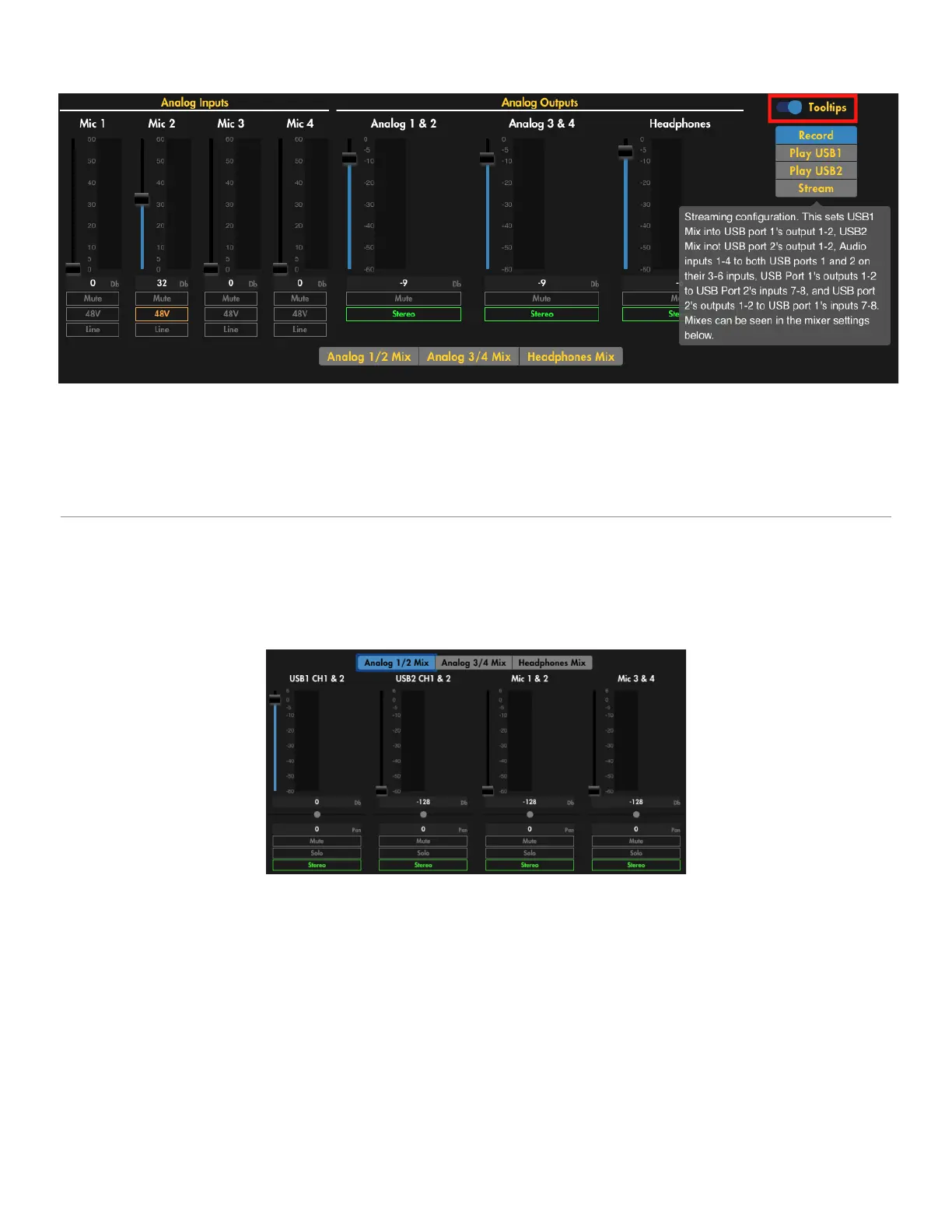
Tooltips toggle
Clicking the [Tooltips] toggle on the upper right corner of the Audio menu page will activate a help
wizard. Hover over any text highlighted in yellow to see a quick explanation of the menu item
controlled by the underlying control. Click the toggle again to deactivate.
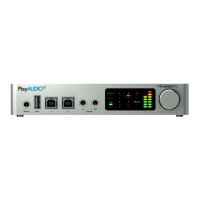
Analog 1/2 Mix
Analog Mix numbers correspond to the ¼” analog output sockets numbered 1-4 on the rear of the
AUDIO4c.
Select Analog 1/2 Mix to show a list of configurable output channel signal sources and edit the level,
pan (if [Stereo] is selected), [Mute], [Solo], and [Stereo] selection for outputs 1 & 2 as indicated
below.
AUDIO4c User Guide v2021-0002 Page 18


 To Next Page