For example, if you have a single USB MIDI controller plugged into the host port on the rear of the
AUDIO4c and wanted to route MIDI data ONLY to a computer plugged in to USB device port 2, scroll
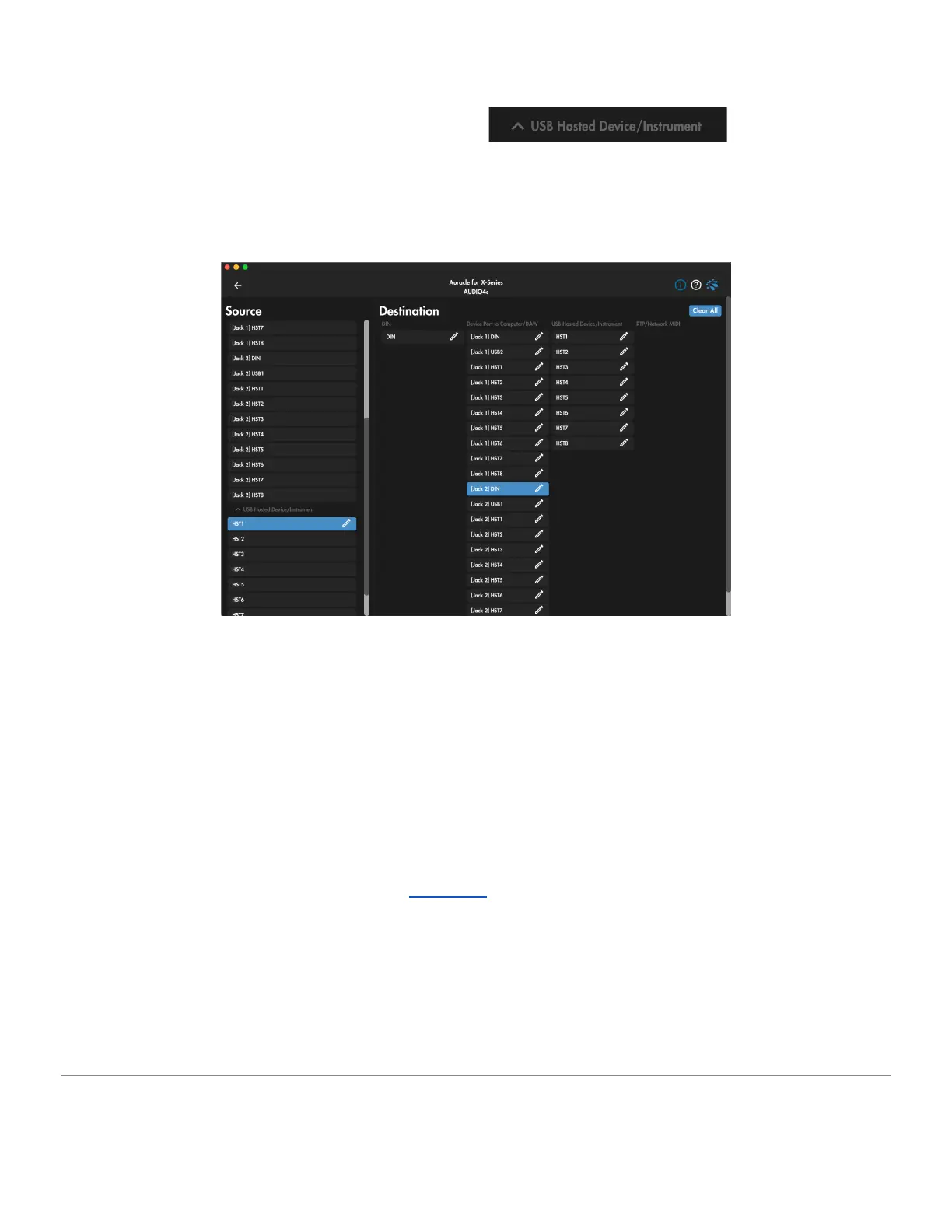
down on the [Source] column to the section marked , and select [HST1].
To route your MIDI controller in [HST1] ONLY to the [DIN] port on USB Device jack 2, un-select all
destinations except for [Jack 2] DIN in the second column marked [Device Port to Computer/DAW]
in the Destination field, as seen below:
Default MIDI routing from [HST1] to [Jack 2-DIN]; MIDI information FROM HST-1 is routed to [Jack 2]
on the [DIN] port.
Additional configuration in your DAW is required to complete the MIDI route between the controller
connected at [HST 1] and your computer connected at [USB Device Jack 2]. Consult the
documentation of your DAW to uncover the mystical magic of allocating MIDI ports of connected
interfaces.
You may also find it helpful to rename MIDI Source and/or Destination ports to something that makes
more sense for your personal use case. Renaming must occur at the device level, outside of the
Auracle for X-Series software. Navigate to this video for a helpful tutorial on renaming MIDI ports on
iConnectivity X-Series devices.
Destination
The [Destination] field will be blank until a [Source] is selected, after which the [Destination] field
will populate with all ports available for routing.
NOTE ON DESTINATION PORT NAMES:
AUDIO4c User Guide v2021-0002 Page 21


 To Next Page