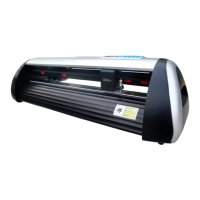
Need help?
Do you have a question about the ICUTTER V48 and is the answer not in the manual?
Outlines essential safety precautions for operating the cutter.
Lists technical specifications and parameters of the cutter models.
Guides on installing and connecting the cutter.
Explains the process of installing cutting media into the machine.
Provides solutions for common problems encountered with the cutter.
 General
| Category | Plotter |
|---|---|
| Cutting Width | 48 inches |
| Software Compatibility | Adobe Illustrator, CorelDRAW |
| Connectivity | USB |
| Power Supply | 110V/220V, 50/60Hz |


 To Next Page