
 Need help?
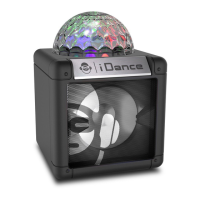
Do you have a question about the iDance CUBE BC10 and is the answer not in the manual?
Connect the power adaptor to the unit and AC outlet to power on the device.
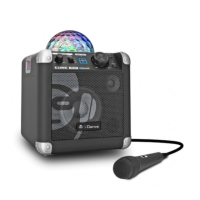
Connect and adjust microphone volume for singing along with music playback.
Plug a 6.3mm guitar into the GUITAR IN jack for mixed playback with other sources.
Connect audio cables to output sound signal from the unit to a home audio system.
Use the VOICE CHANGER switch to pitch voice up or down, or turn off the function.
Activate the party light show using the PARTY LIGHT button; change modes with PAIRING button.
Connect your Bluetooth device to the BC10 by following pairing steps and entering password if required.
Control playback, pause, skip tracks, and adjust volume using the connected Bluetooth device.
Play music from external players via the AUX IN jack, mixing with other audio sources.
Attach and use the included shoulder strap for easy carrying of the unit.
Use the USB CHARGER port to charge your portable devices like smartphones and tablets.
The unit automatically switches to standby mode after 15 minutes of inactivity to save energy.
 General
| Brand | iDance |
|---|---|
| Model | CUBE BC10 |
| Speaker Type | Portable Bluetooth Speaker |
| Power Output | 10W |
| Power Source | Rechargeable Battery |
| Battery Life | Up to 10 hours |
| Frequency Response | 100Hz-20kHz |
| Connectivity | Bluetooth |
| Features | LED Light, Microphone |


 To Next Page