
 Need help?
Do you have a question about the iDance XD3 and is the answer not in the manual?
Warning to reduce risk of fire or shock hazard, not to expose to rain or moisture.
Explanation of symbols for electric shock risk and double insulation.
FCC and Canadian ICES compliance statements for digital apparatus.
Instructions on water, cleaning, heat, plug safety, and cord protection.
Guidelines for accessories, moving, unplugging, and servicing.
Precautions against liquids, heat, and battery exposure.
AUX, Mic/Guitar inputs, Bluetooth streaming, USB MP3 player & recorder, FM tuner.
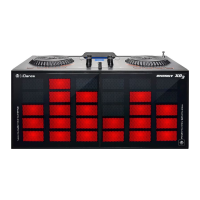
Jingles, disco lighting, cross-fader, jog wheels, EQ, smartphone stand.
200W MAX Power output and smartphone/tablet compatibility.
Details on MIC IN, GTR IN, AUX IN, USB, MASTER OUT, PHONES, ANTENNA jacks.
Buttons for STD BY, MP3, TUNER, PLAY/PAUSE, REC, EQ, PREV, NEXT, DELAY, FILTER.
Controls for JINGLES, MIC LEVEL, MASTER, JINGLES LEVEL, CROSSFADER, BLUETOOTH.
Explanation of MIC, GTR, Aux-In, USB, Master Output, and CUE Phone outputs.
Usage of DJ DELAY and DJ Filter jog wheels for sound modification.
Using Jingle Pads and adjusting Jingle volume and pitch.
Controls for STD BY, MP3, TUNER, PLAY/PAUSE, REC, EQ, PREV, NEXT.
Knobs for PHONES volume, MIC LEVEL, JINGLES LEVEL, PITCH.
Intelligent Cross Fader and Bluetooth mode selection.
Using Play/Pause, Mode, Standby, and Phones volume.
Adjusting Mic volume and using the Voice Changer feature.
Operating the crossfader and selecting tracks or FM channels.
Functionality of Record, Jingle Pitch/Volume, and Equalizer.
Instructions for connecting the main unit to the power adapter and AC outlet.
Step-by-step guide for connecting a smartphone or tablet via Bluetooth.
Steps for recording the master mix to a USB drive in WAV format.
How to turn DJ lighting effect ON and OFF using the Play/Pause button.
Instructions for selecting USB mode and playing music from a USB drive.
Guide to switching to Tuner mode, scanning, and selecting FM stations.
Solutions for noise, Bluetooth connection, and intermittent streaming problems.
Addressing distortion on recording and no sound from selected sources.
Details on input types, phone output, LCD display, and FM frequency range.
USB file support, recording format, Freq. Response, THD, S/N, speaker size/power.
Guidance on proper disposal of the product as e-waste in the European Union.



 To Next Page
 General