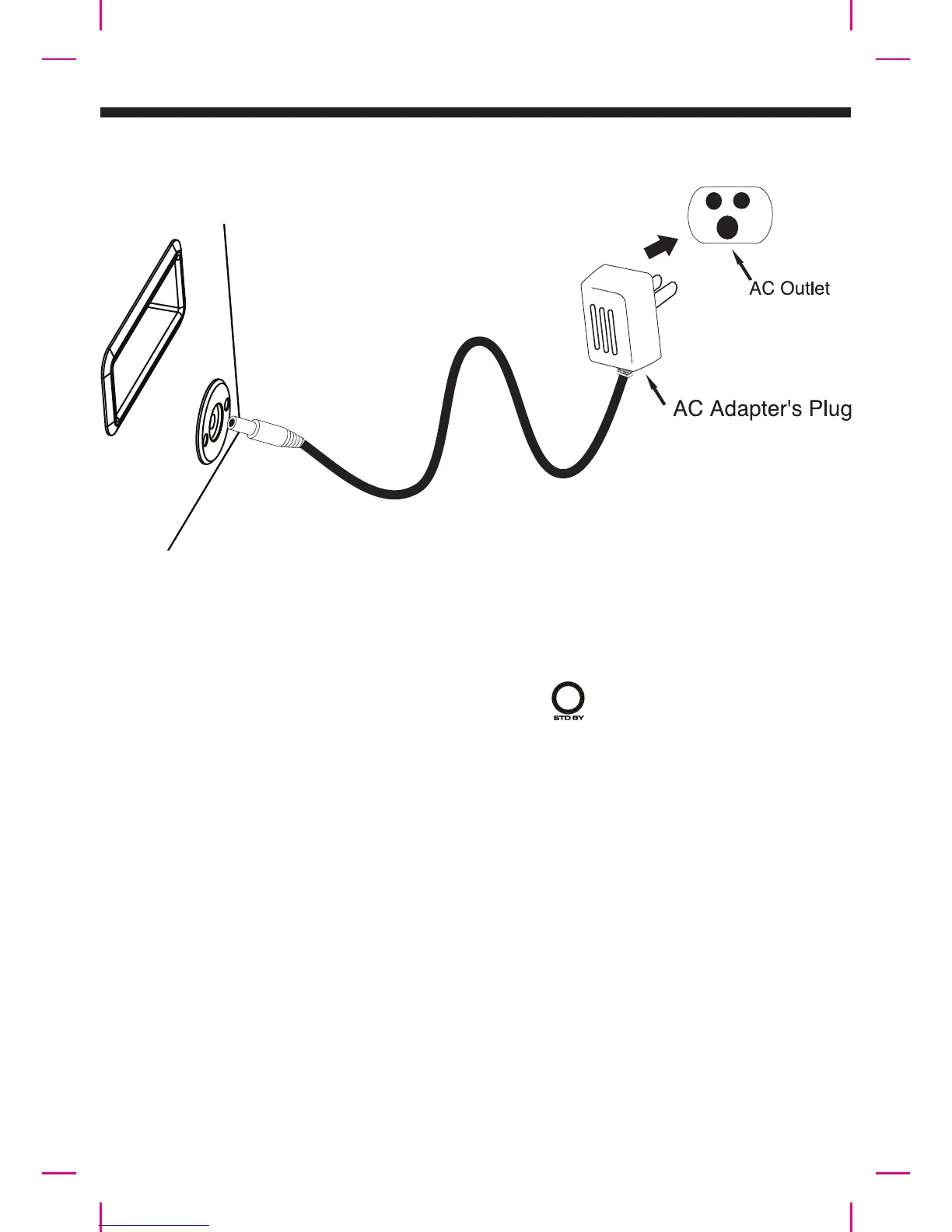
GENERAL OPERATIONS
AC 230~240V 50Hz
Right side of the main unit
Power Connecon
Connecng Bluetooth to your smartphone / tablet
Press the Standby buon to turn on the XD3
(XD3 Bluetooth is ready to connect aer turning ON)
On your smartphone / Tablet, turn on Bluetooth and enable device scanning
When “XD3” shows up on the Bluetooth scan, select it to connect it to your device.
When both devices are successfully connected, you are ready to play music wirelessly
from your device.
1.
2.
3.
4.
NOTE:
When Bluetooth is NOT connected, the LED ring on Play/Pause buon will blink.
When Bluetooth is successfully connected, the LED ring on Play/Pause buon will stay ON
E5






 To Next Page