5
Proof of Performance
3. Update remote handset:
• Power the remote handset OFF
• Disconnect any test adapters from the LanTEK IV
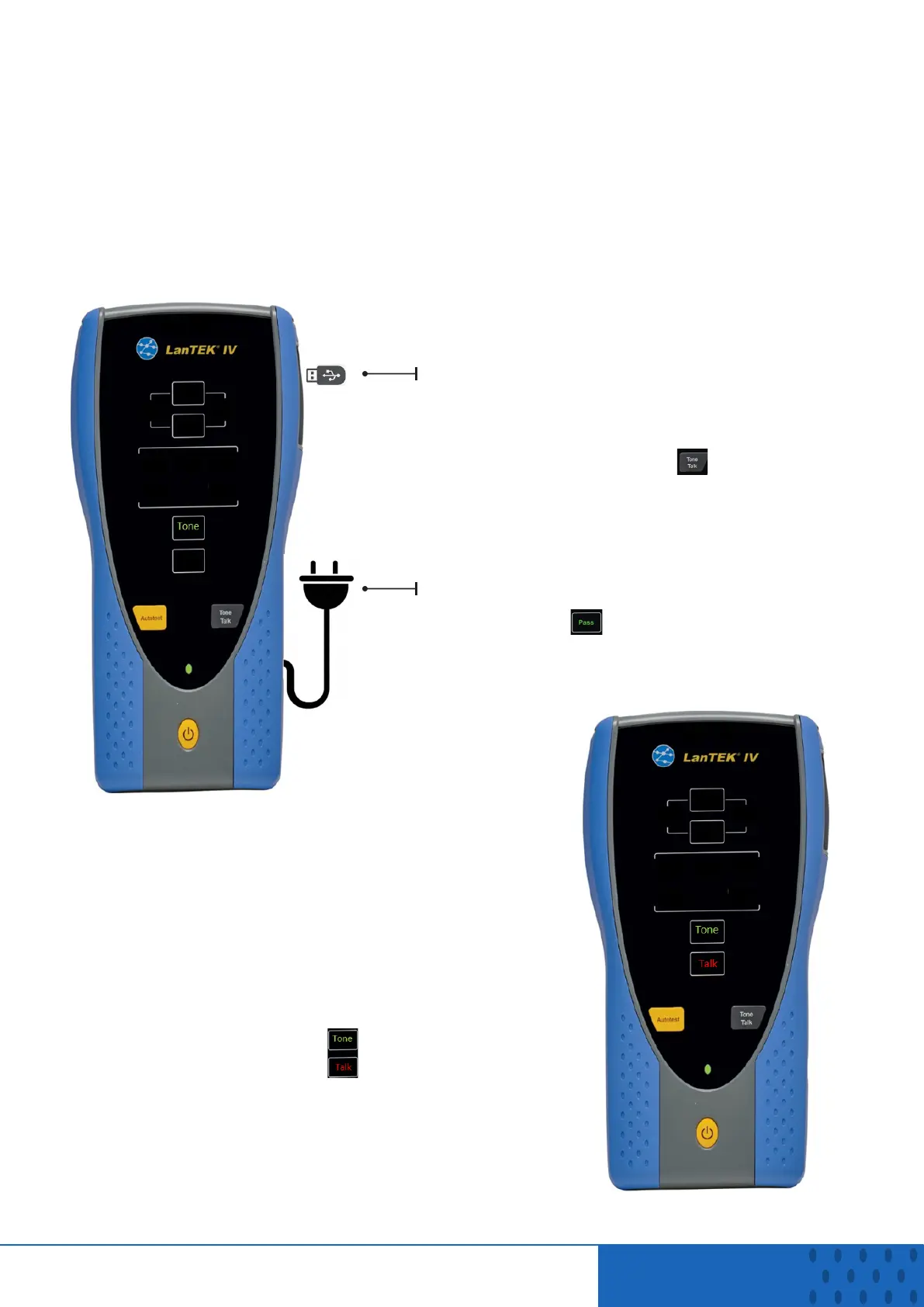
• Connect DC power adapter to the remote handset
• Connect the USB flash drive to the remote handset
• Power on the remote handset then after a few seconds Tone and Talk LEDs will
alternately flash green, then just the tone LED will remain steady green:
USB
Power
• Press and hold the button to start the
update process. This stage will take a few
minutes to complete
• During this stage the Tone and Talk LEDs
will flash green
• When the first stage of the update is
complete, the Pass LED will remain steady
green:
• Press and hold the power button for 15
seconds
• Release the power button to shut down
the handset
• Remove the USB flash drive
• Press power button to turn on the
handset to continue the update
• The Tone and Talk LEDs will flash red/
green during this process:
• This will take several minutes, after which the
Tone Talk LEDs will stop flashing indicating
the Remote handset is ready for use


 To Previous Page
 Loading...







