13
Proof of Performance
12
www.idealnetworks.net 163819
SYNCHRONISING
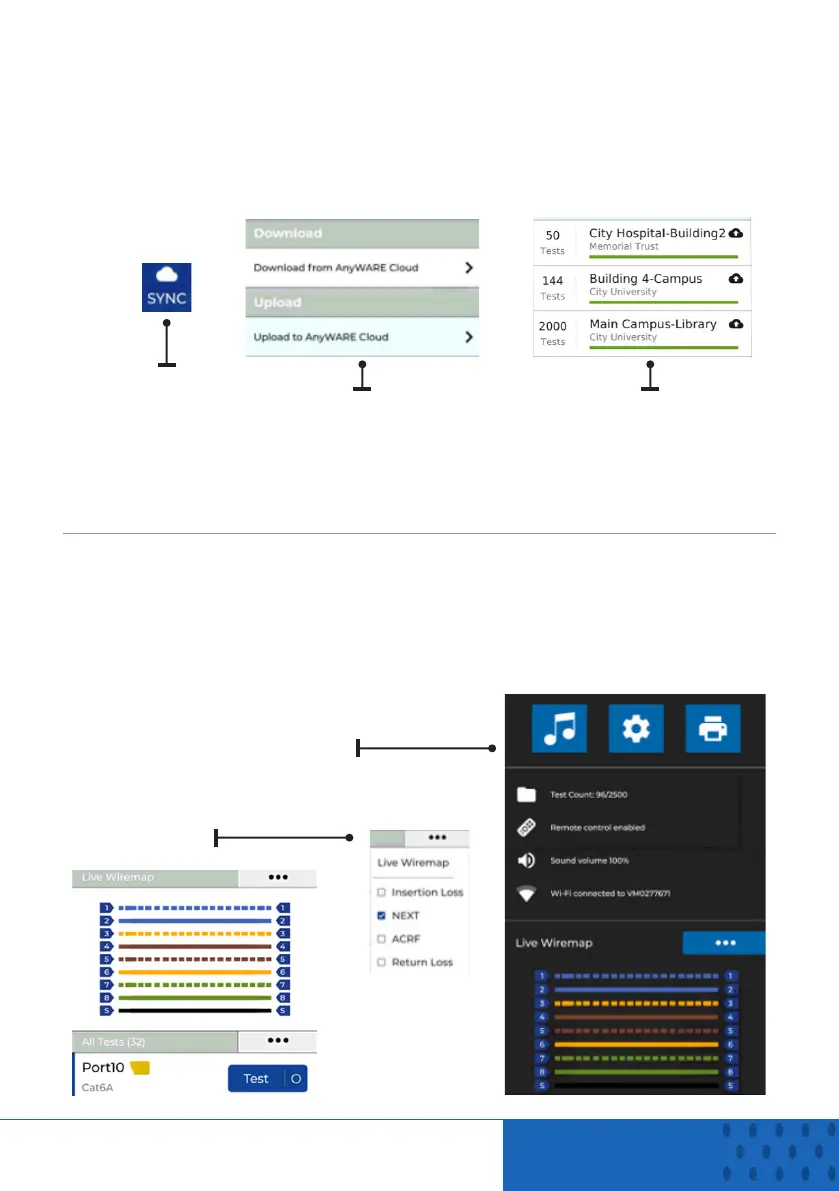
Selecting SYNC will allow you to download pre-configured jobs or upload
completed jobs to the cloud. If you are using the IDEAL AnyWARE desktop
SYNC will also allow you to download results to USB. To SYNC your
LanTEK IV:
Select SYNC
Choose download or
upload. Upload will
as give the option to
transfer results to the
cloud or USB Drive
Jobs that have been
uploaded to the cloud
or USB are marked with
cloud
LIVE WIREMAP
Live Wiremap allows an instant, constantly updating wiremap view for
connected links without the need to perform an Auto test. Live Wiremap can
be used in two ways. In an active job or free mode which does not require a
project to be set-up.
To activate Live Wiremap in
free mode. Swipe down from
the top of the screen.
Activate Live Wiremap in a
job select the test list options
menu.


 To Next Page
 Loading...







