- 36 -
IDEAL 4855 • IDEAL 5255 • IDEAL 6655
•
Operation
•
•
How the example works
• Press PRG. RUN .
• Enter program number 08.
• Press Enter .
• Press START, measurement is approached.
• Insert paper.
• Release cut 1.
• Eject (ejection is completed, turn the paper).
• The backgauge moves to program step 2.
• Release cut 2.
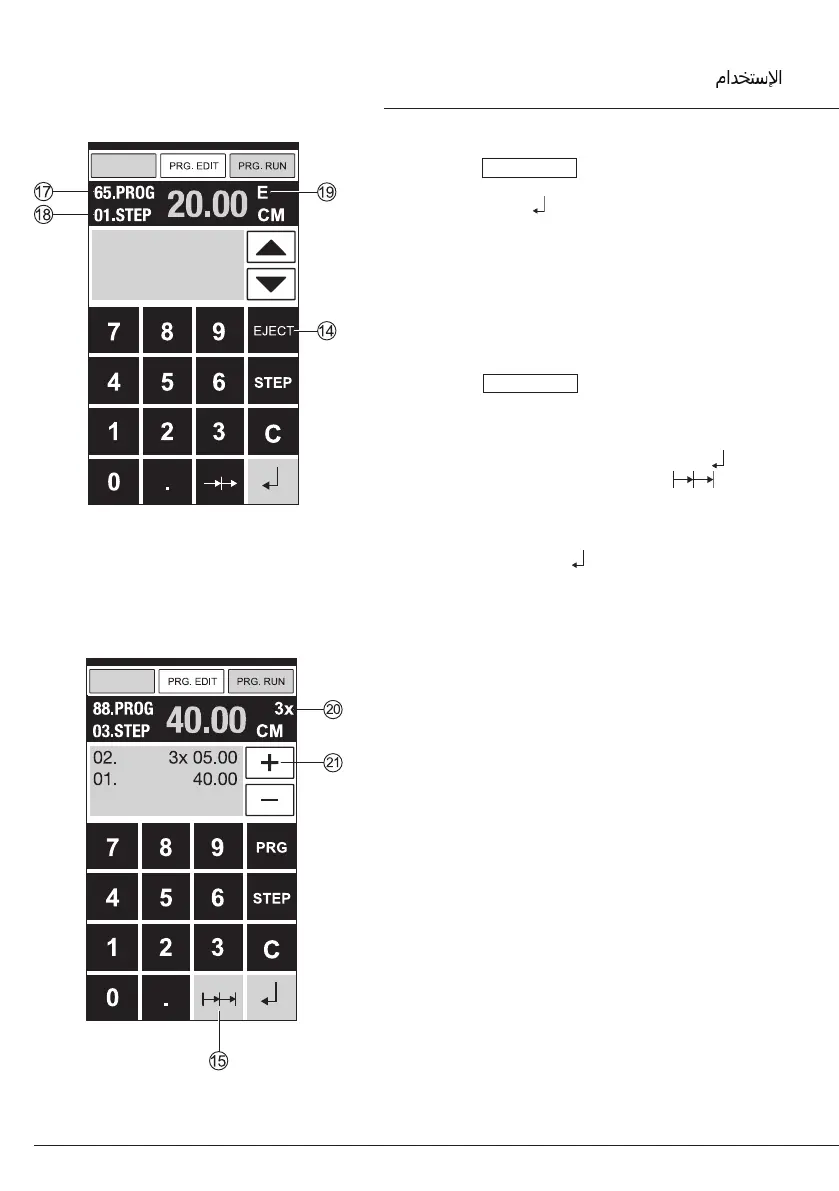
Multiple cut program
• Press PRG. EDIT .
• Enter program number.
• Enter the 1. program step e.g. start-up
measurement 40 cm.
• Store the measurement with Enter .
• Press the multiple cut symbol
O
.
• Enter the number of cuts
T
with the + button
U
(max. 15 cuts) followed by the multiple cut
size (cutting width).
• Store with Enter .



 To Next Page